
Last updated 12 Oct 2026
Module
Family portal
Family portal: a portal for participants and families
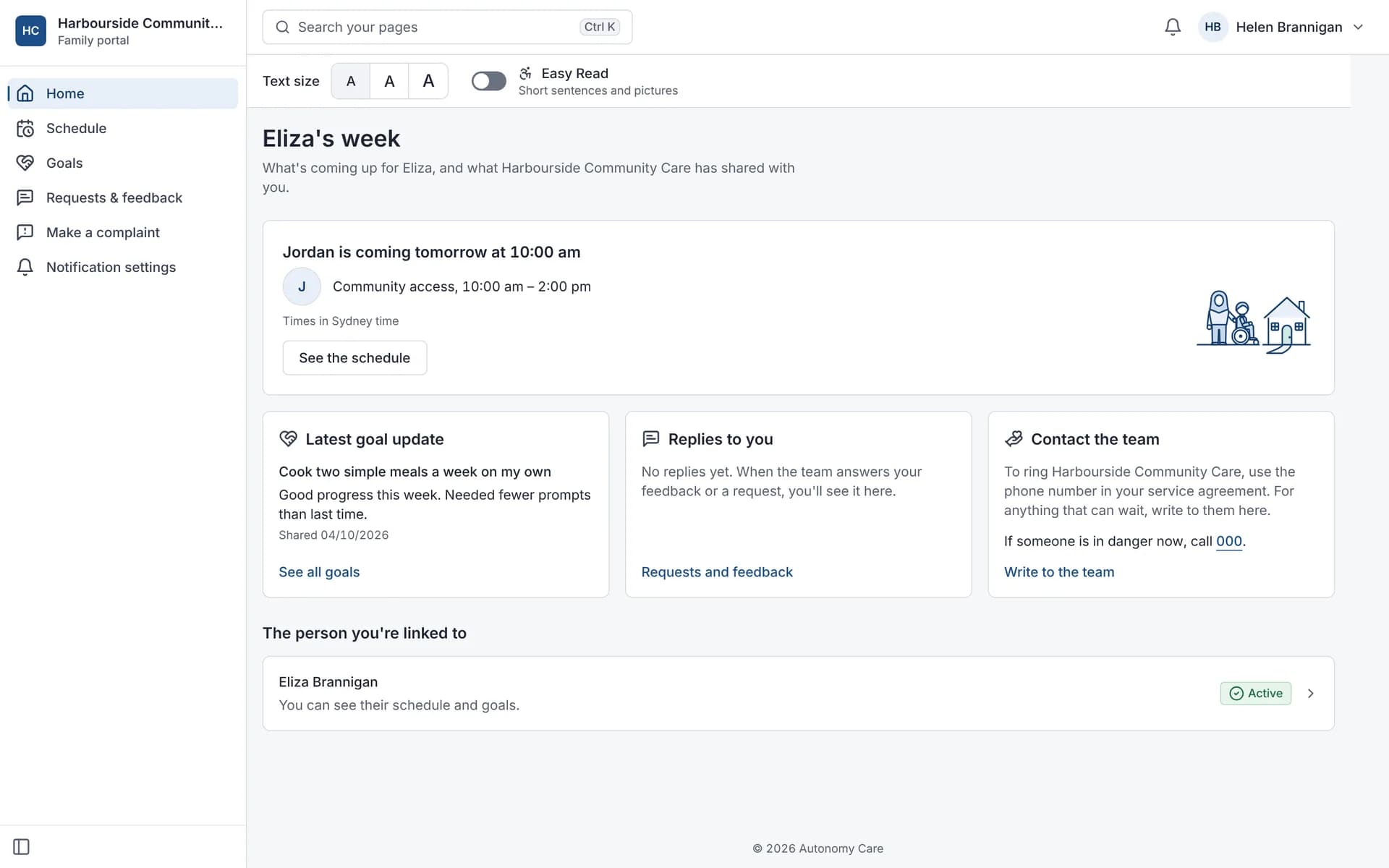
The Family portal gives participants and their chosen contacts a secure login. With view access, family members see upcoming and past supports, goals and feedback. With full access, such as a nominee, they also see plans and budgets, the support team, shared documents to sign, messages and support change requests. Providers control each contact's access.
What can families see?
View access shows the support schedule, goals, feedback and complaints, and notification settings. Full access adds plans and budgets, the support team, shared documents and signing, messaging and change requests.
How is access controlled?
You set access for each contact and each participant. Contacts only see what their level allows, and their actions, such as change requests and complaints, are recorded in the activity log.
Can participants sign documents there?
Yes. Contacts with full access can view and sign shared documents, such as a service agreement, in the Family portal.
How do requests work?
Contacts with full access can ask to change or cancel a support. Coordinators approve or decline the request in the roster, and the contact can withdraw it.
Can families be told about changes to a support?
Yes, if your organisation and the contact both opt in. Contacts can be told when a shift changes, when a new worker is coming and when a worker is running late. Notices use first names only. Contacts choose their own notification settings.
Is the Family portal easy to read?
Contacts can choose a larger text size and an Easy Read view with illustrations. The Family portal can be added to a phone's home screen like an app. It doesn't keep personal information on the phone for offline use.
The Family portal on a phone
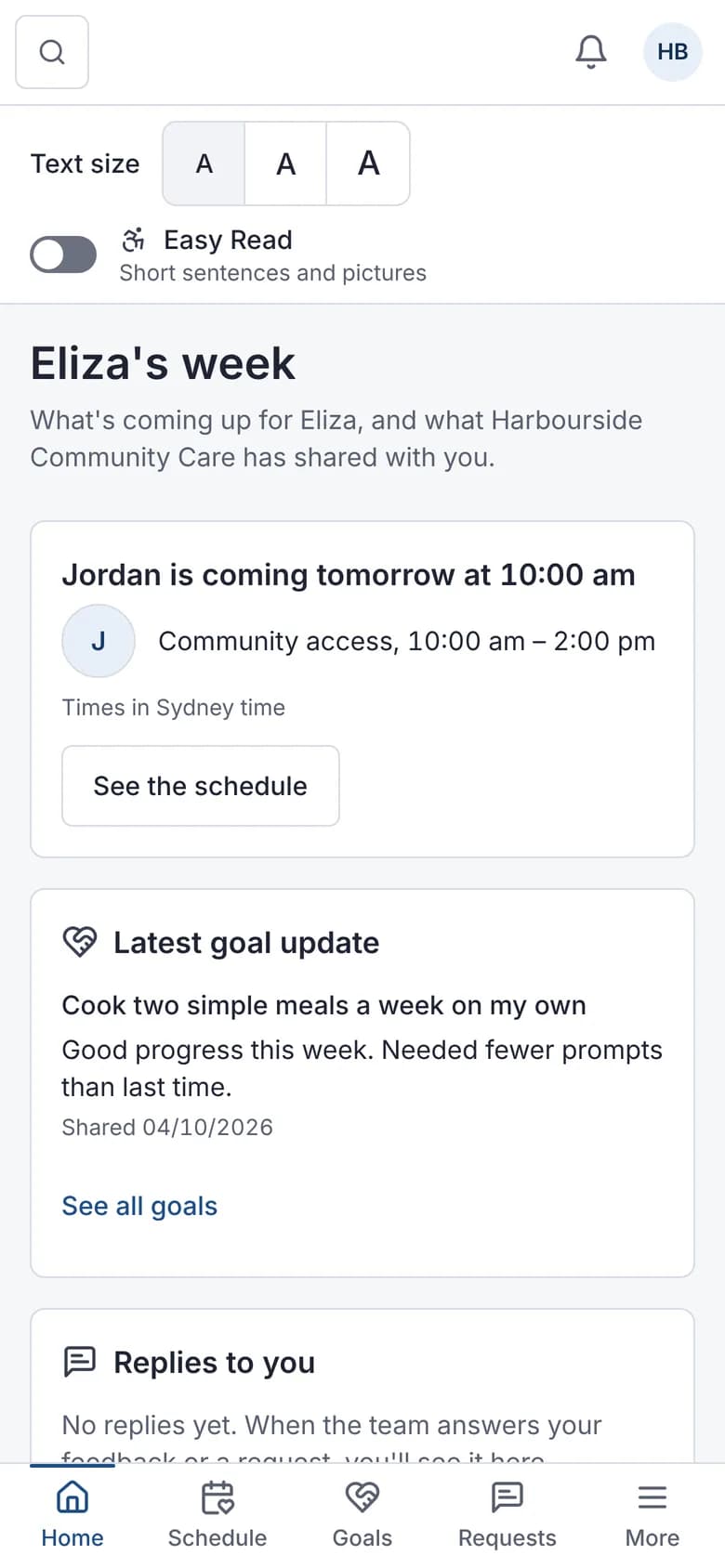
Who's coming next. 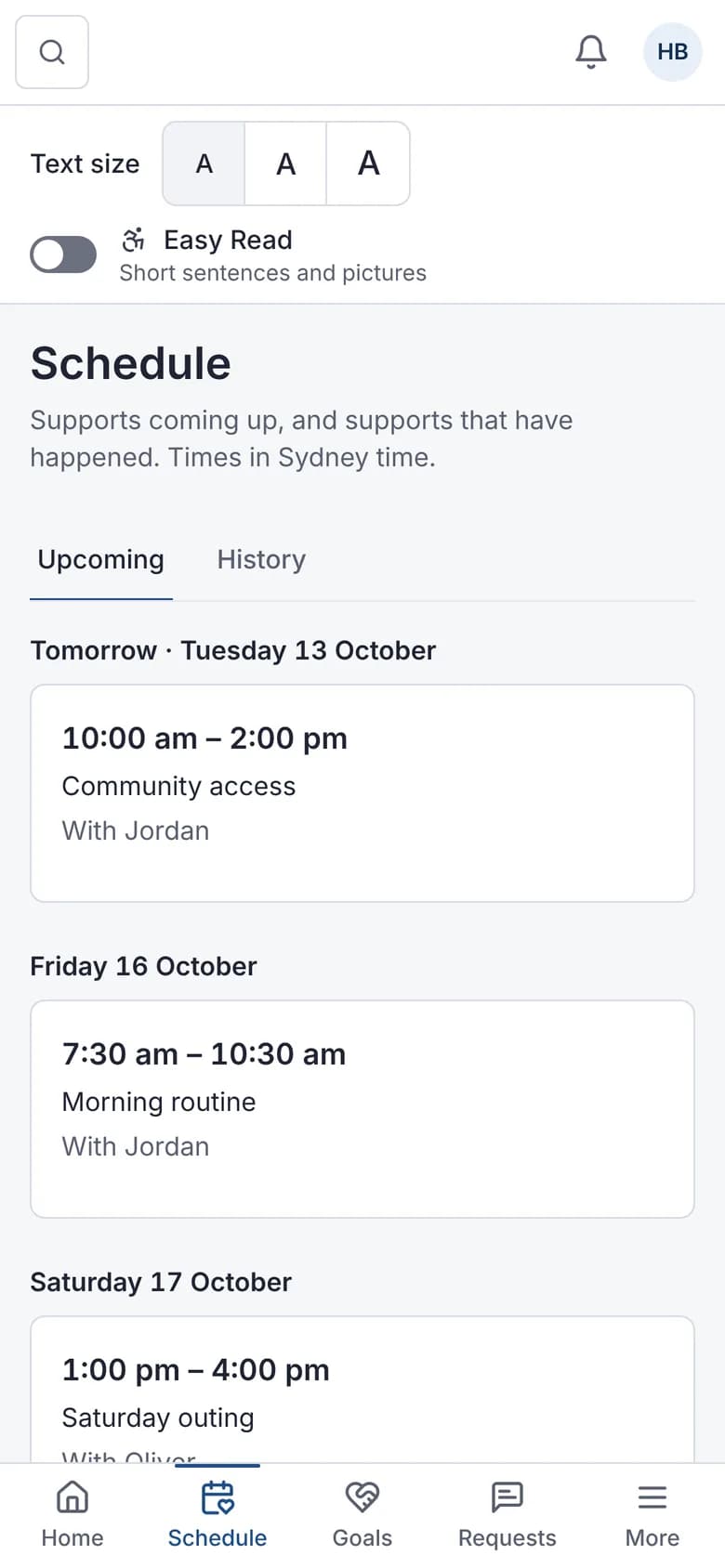
The schedule. 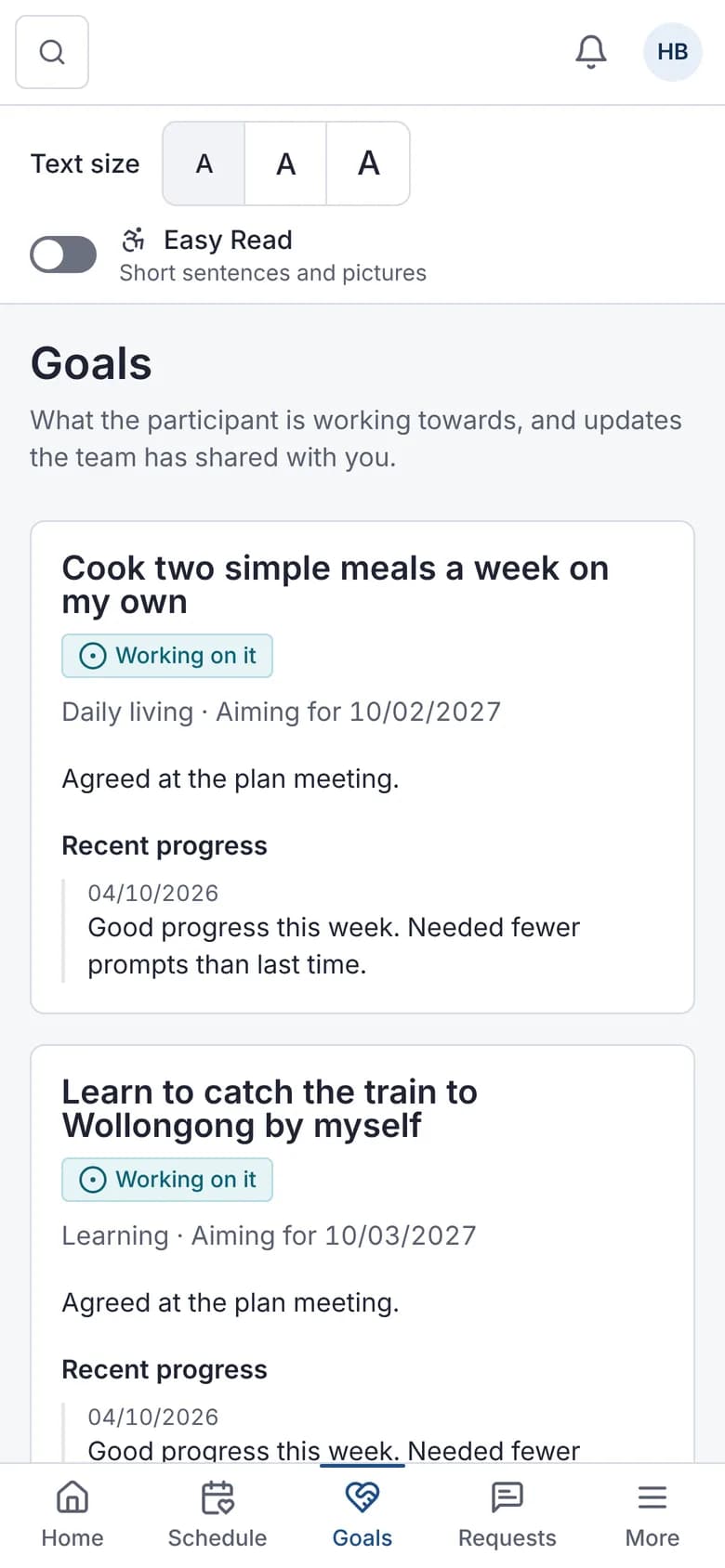
Goals and shared progress. 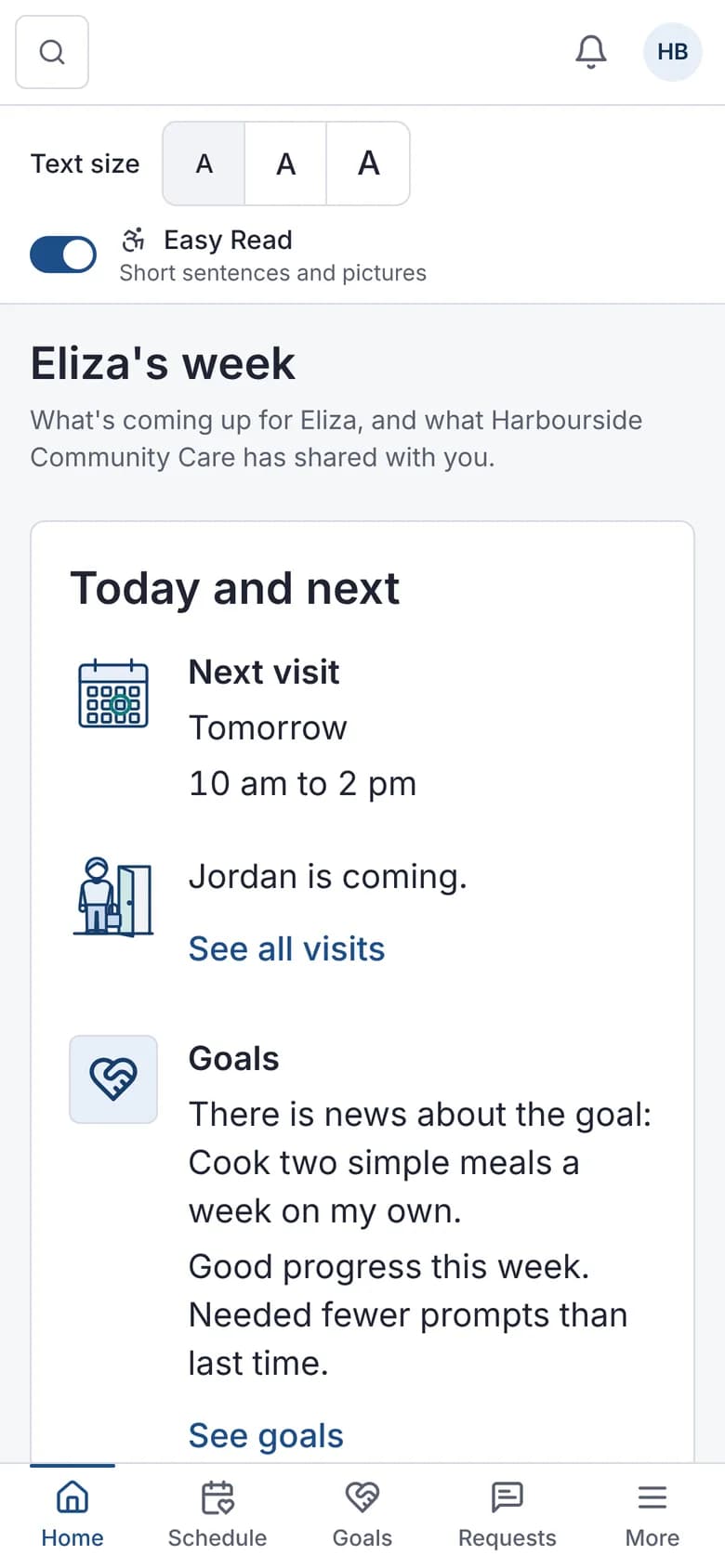
Easy Read and text size.
What it does and doesn't do
It does
- Gives participants and contacts their own secure login
- Sets view or full access per contact
- Lets contacts sign documents, message the team and request changes
- Shows budgets with an Easy Read option
- Sends opt-in notices about shift changes, new workers and running late
It doesn't
- Doesn't show progress notes, invoices or statements
- Doesn't support single sign-on for families
Frequently asked questions
Is there an app for families?
The Family portal works in a web browser on phones and computers. There isn't a separate family app, and there's nothing to install.
Can we limit what each contact sees?
Yes. Each contact gets view or full access for each participant.
Is the Family portal included in every plan?
Yes. The Family portal is one of the standard modules, switched on for every new account. Your provider decides which family members and contacts get access, and what each one can see.
Can participants give feedback or make a complaint?
Yes. Feedback and complaints can be lodged from the Family portal and go into your complaints register.
How it works
Invite a contact
Add the person as a contact on the participant's record and choose view or full access.
They sign in
The contact sees only the participants and areas their access allows.
They act
Contacts can give feedback or make a complaint, and with full access sign documents, message the team and ask to change or cancel a support.
You respond
Change requests appear in the roster for coordinators to approve or decline, and contact actions are logged.
Who uses it
Participants
Families, nominees and guardians
Intake and enquiries teams
Related modules
Messaging
Messaging keeps conversations about participants inside a secure system. Autonomy Care has direct and group messages between staff, team channels, and conversations with family contacts who have full Family portal access. Messages can carry attachments, saved replies speed up common answers, and admins can export conversations for audit.
E-signatures
E-signatures let participants, families and staff sign Document Centre forms, such as service agreements, without printing. Autonomy Care sends a single-use link, checks a one-time code, follows the signing order you set, sends reminders, and adds a signing certificate to the record's PDF. People with Family portal access can sign there instead.
Funding and budgets
Budget tracking compares what a participant's plan holds with what has been invoiced and committed. Autonomy Care tracks each plan service, alerts at 80% and 100% and when the forecast goes negative, and checks the funding impact when you save a shift, booking or invoice. Your policy decides whether overspending warns, needs a reason or is blocked.
See it with your own rosters and plans
Get started, or book a demo and we will walk you through it with your questions.