
Last updated 12 Oct 2026
Module
Worker matching
The right worker, with the reasons
Worker matching in Autonomy Care suggests workers for a shift and shows why. It first leaves out anyone who can't take it, such as a missing screening check, leave or an overlapping shift. Then it scores the rest out of 100 using factors you can weigh, such as continuity, preferences, language and distance.
Who is left out?
- Anyone who isn't available or already has an overlapping shift.
- Anyone with a missing, expired or unverified screening check, or missing credentials or competencies.
- Workers on leave, on a do-not-send list, or over fatigue limits.
- Anyone without what the shift needs, such as a Working with Children Check for a participant under 18, a driver licence and car, or a required gender or language.
How is the score worked out?
From factors you can weigh: continuity with the participant, availability, the participant's preferences, gender, language, culture, shared interests, distance, overtime and fair hours. Each suggestion shows the reasons for its score.
Where is it used?
When you fill a shift, find a replacement, or offer open shifts. Signals can offer an unfilled shift to the three best matches.
What it does and doesn't do
It does
- Leaves out workers who can't take the shift, with the reason
- Scores the rest out of 100, with reasons
- Lets you choose strict, balanced or flexible settings
It doesn't
- Doesn't use AI
- Doesn't build the whole roster for you
Frequently asked questions
Does worker matching use AI?
No. It applies rules first, leaving out anyone who can't take the shift, then scores the rest out of 100 from factors you can weigh. Each suggestion shows the reasons for its score.
Will it suggest a worker without a current screening check?
No. Anyone with a missing, expired or unverified screening check, or missing credentials or competencies, is left out, with the reason shown.
Does it build the whole roster for us?
No. It suggests workers for a shift when you fill it, find a replacement or offer open shifts. Signals can offer an unfilled shift to the three best matches.
How it works
Check
Workers who can't take the shift are left out, with the reason.
Score
The rest get a score out of 100 from factors you can weigh.
Choose
Pick a worker, or offer the shift to the best matches.
Tune
Use strict, balanced or flexible settings, or set your own weights.
Who uses it
Rostering coordinators
Team leaders
Related modules
Rostering and timesheets
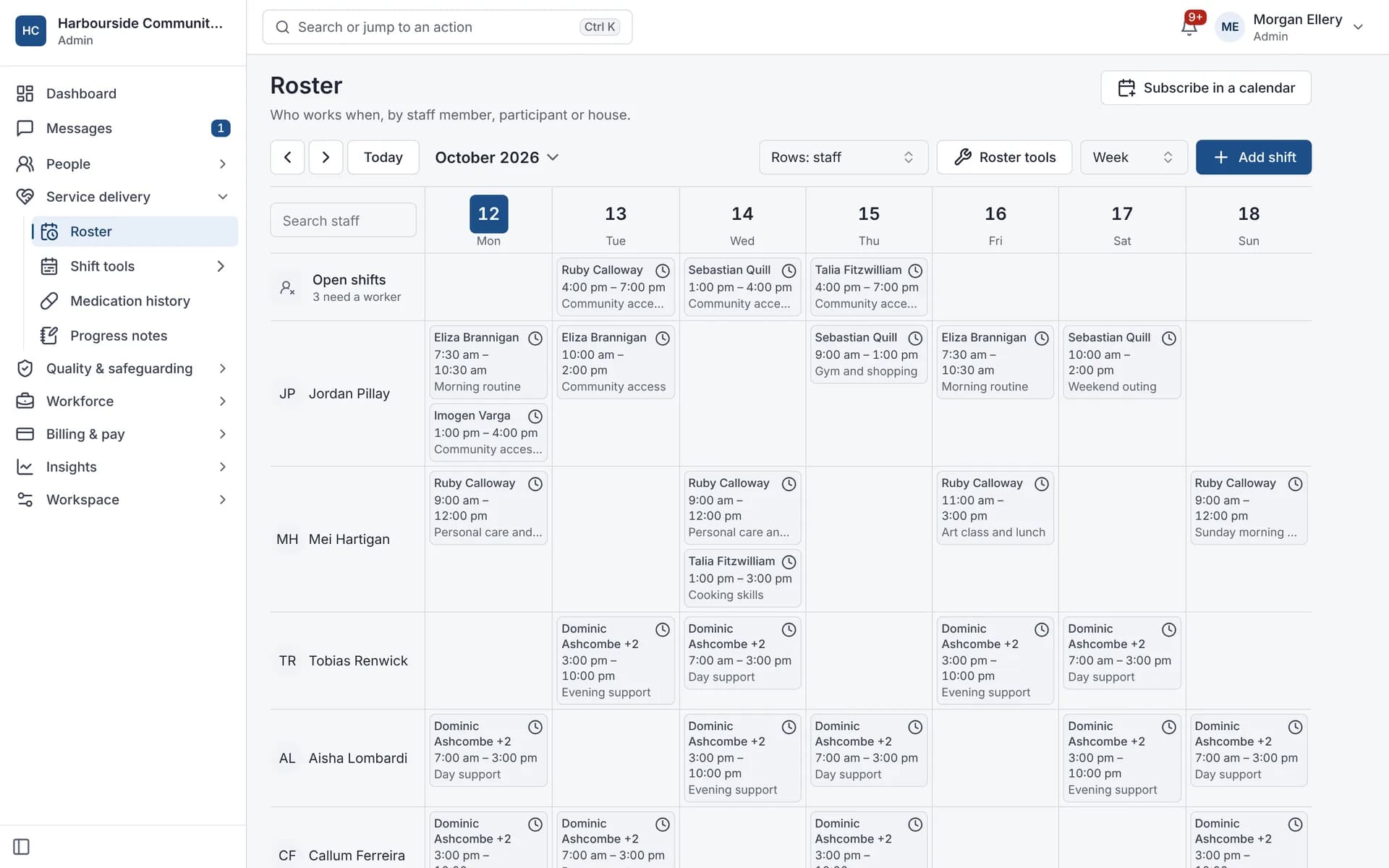
NDIS rostering software schedules workers against booked supports while checking availability, credentials and plan funding. In Autonomy Care, each shift carries its support item, so the roster, timesheet and invoice stay in step. Templates, open shifts, swaps and private calendar feeds cut down the last-minute phone calls.
Signals
Signals are automatic checks across progress notes, the roster, invoices and messages. Every 15 minutes, Autonomy Care looks for things like missing notes, unfilled shifts, prices over the limit and unanswered messages. Each signal explains why it appeared, suggests a fix, and clears itself once the issue is resolved. The checks follow fixed, written rules, not AI.
Staff, credentials and leave
Staff records hold each worker's profile, pay rate, credentials and leave. Autonomy Care tracks credential expiry and alerts workers 30 days before and on expiry. An expired NDIS Worker Screening clearance blocks rostering, and a missing or unverified one is flagged. Approved leave flows to the roster and payroll so nobody re-enters it.