
Last updated 12 Oct 2026
For participants and families
Know who's coming and when, follow your goals, and raise a concern or make a complaint safely
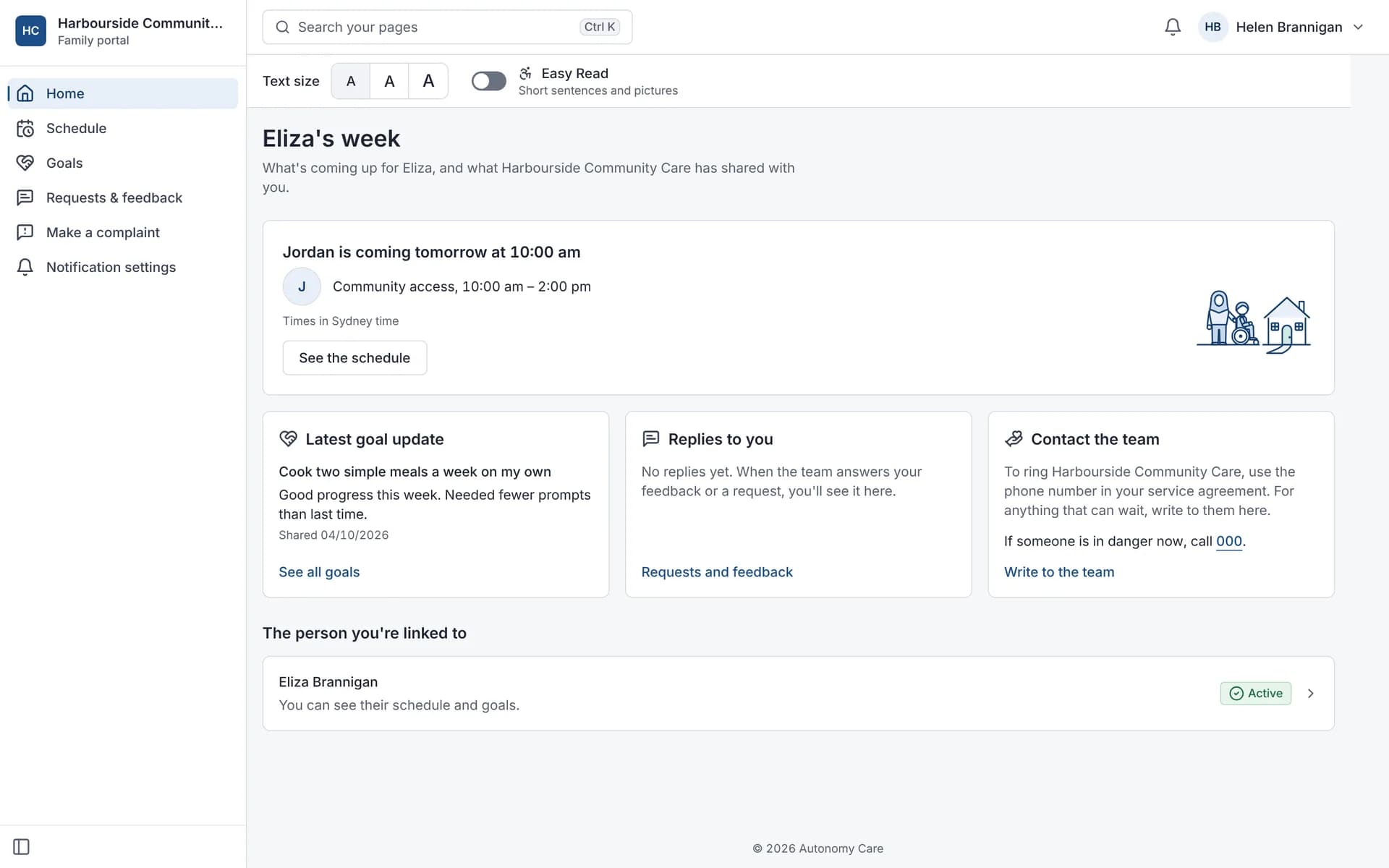
If your NDIS provider uses Autonomy Care, the Family portal can show who is coming and when, updates on goals and notes your provider shares. Your provider decides what each person can see. You can send feedback or a complaint from the portal, and you can always complain to the NDIS Commission directly.
Know who's coming and when
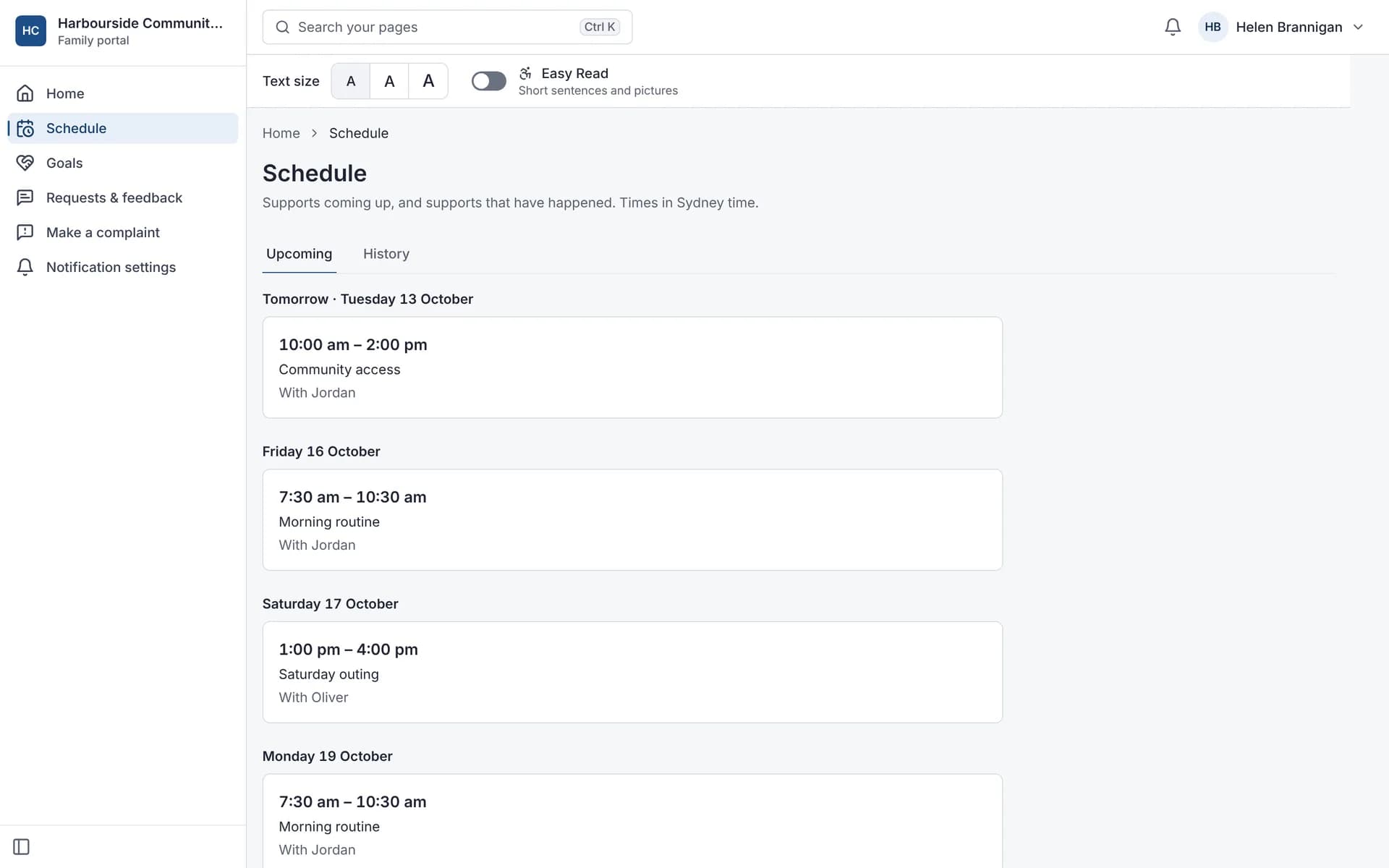
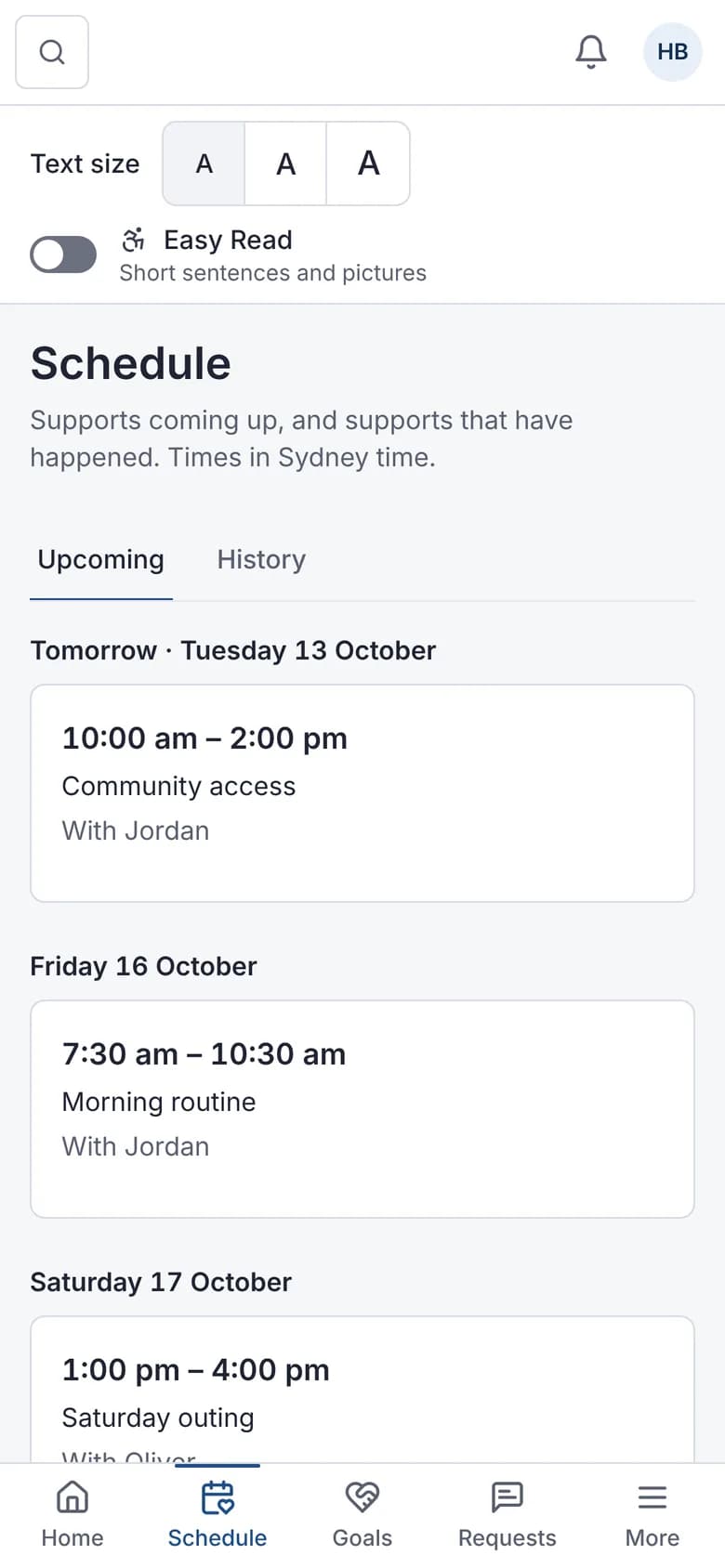
See upcoming supports with the time and the support worker's first name.
- If a worker is replaced, you can choose to get a text or email
- If a worker is running late, you can choose to be told
- Works in a web browser on a phone or computer
See the goals you're working on
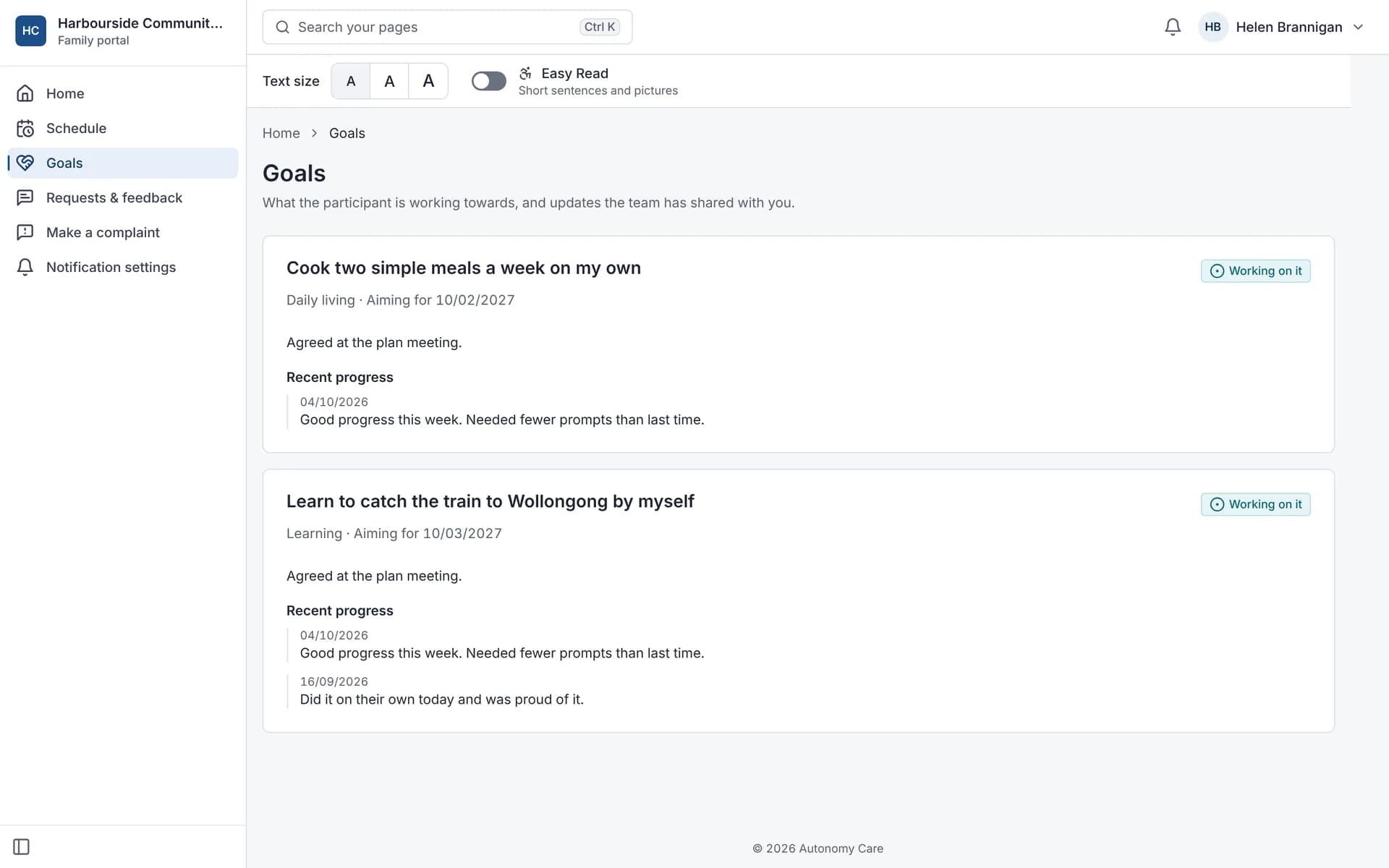
See your goals and the progress updates your team chooses to share.
- Send a request or feedback to the team
- Message the team if your provider gives you full access
Words that work for you
Turn on Easy Read for short sentences with pictures, and choose one of three text sizes. Your choice is saved for next time.
Read about Autonomy Care in Easy Read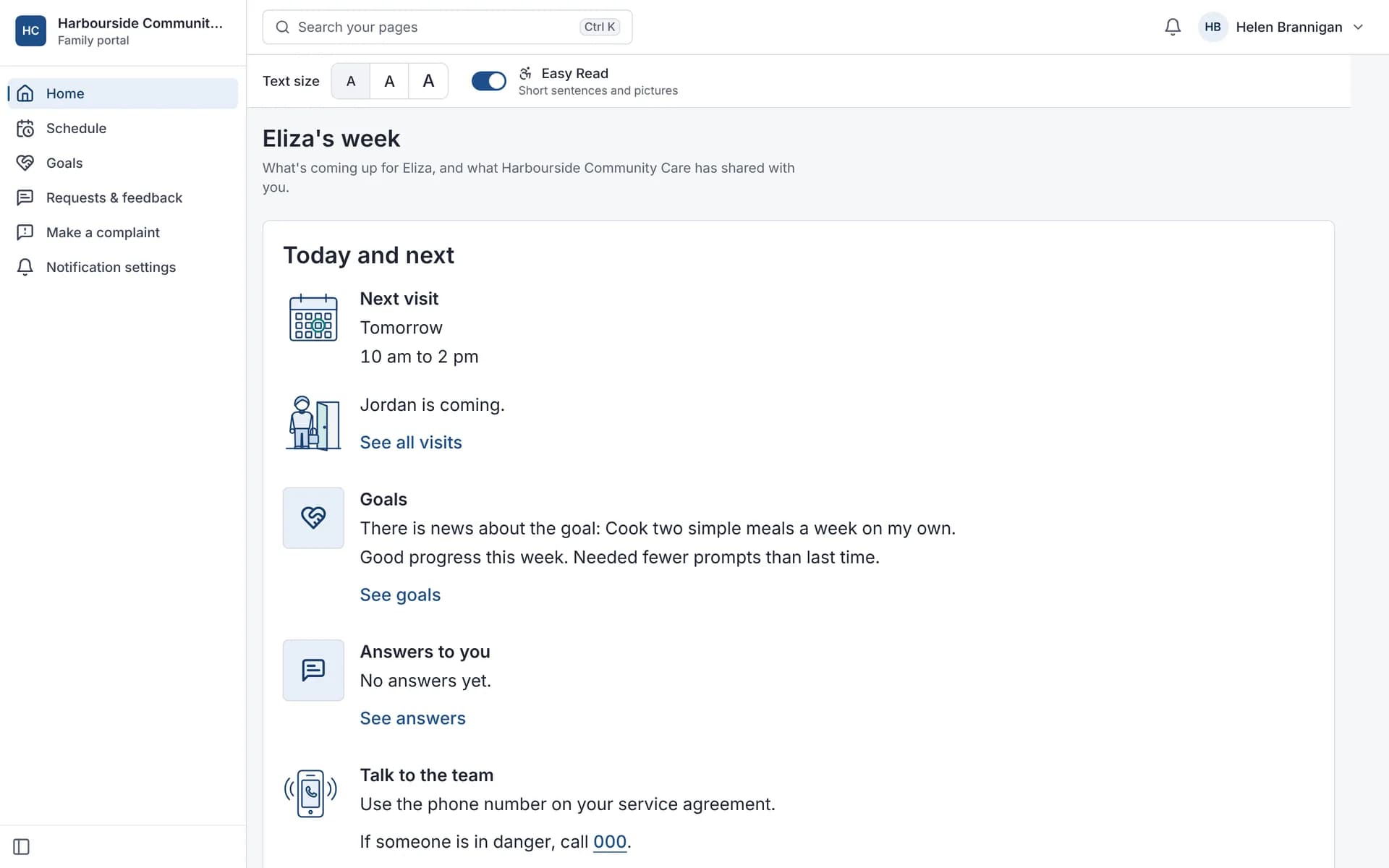
Raise a concern or make a complaint safely
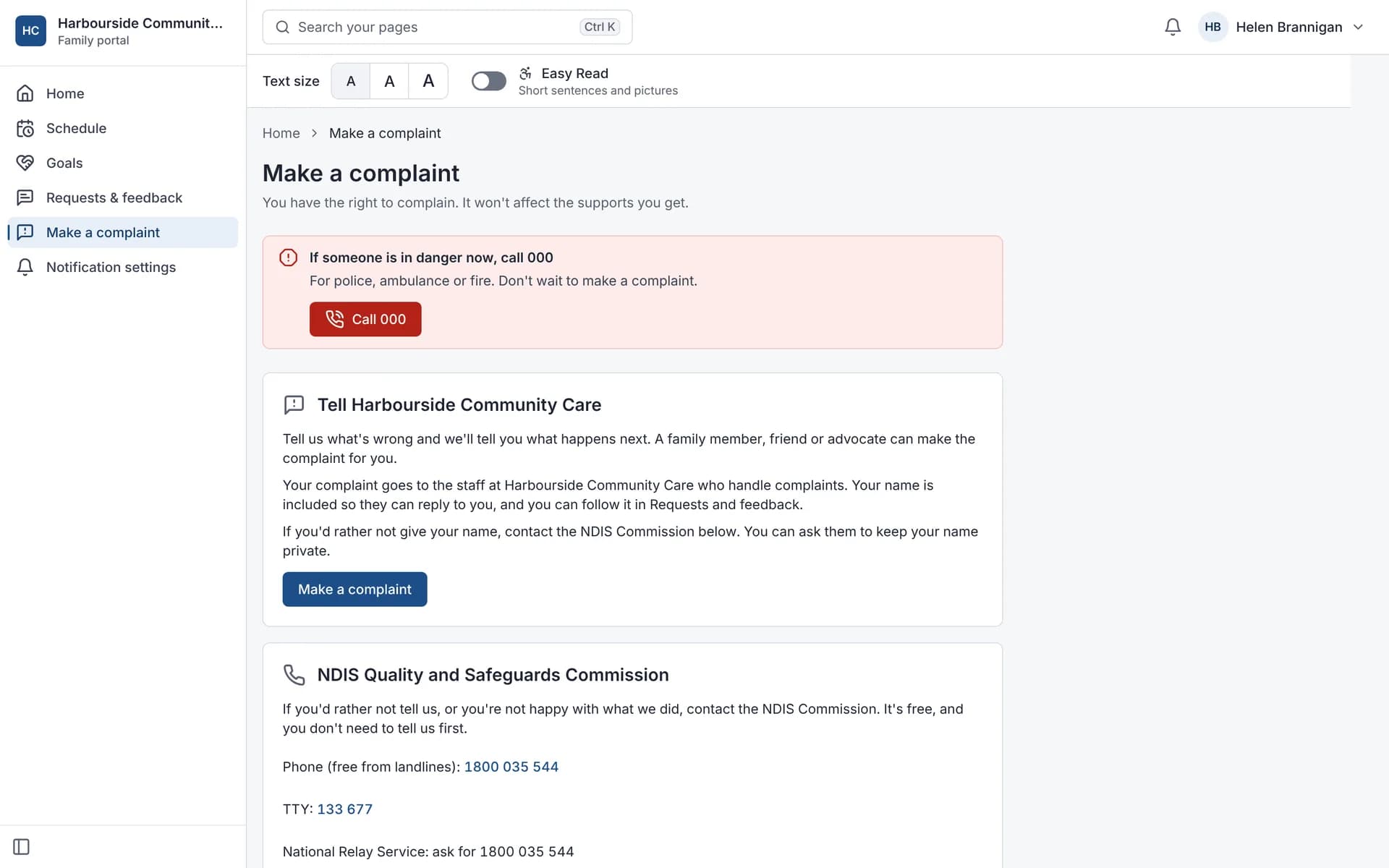
You have the right to complain, and complaining won't affect your supports. Someone else can complain for you.
- If someone is in danger, call 000
- Tell your provider through the Family portal
- Contact the NDIS Quality and Safeguards Commission on 1800 035 544 (TTY 133 677), or through the National Relay Service
What can I ask my provider?
- Who will be coming, and how will I know if that changes?
- Can I see my schedule and goals, and who else can?
- How do I raise a concern, and who else can I talk to?
- Is there an Easy Read version?
- What information do you keep about me, and who can see it?
How is my information kept private?
Your provider decides who can see what. Each family member is given the access that fits: some see the whole portal, some only the schedule and goals.
Your NDIS number, date of birth, medicines, notes, incidents and complaints are stored encrypted. Text messages about shifts never include your name.
Frequently asked questions
What can families see in the Family portal?
With view access, a contact sees upcoming and past supports, goals and shared progress, and can give feedback or make a complaint. Full access adds plans and budgets in Easy Read, the support team, shared documents to sign, messages and change requests. Families don't see progress notes, invoices or statements.
Can participants give feedback or make a complaint?
Yes. Feedback and complaints can be lodged from the Family portal and go into your complaints register.
Can families see progress notes?
No. The Family portal shows families supports, goals and other items you choose, but not progress notes.
Can participants read their progress notes?
Participants can generally ask for their personal information under privacy law. Write every note as if the participant will read it.
Is there an app for families?
The Family portal works in a web browser on phones and computers. There isn't a separate family app, and there's nothing to install.
Ask your provider about the Family portal
Your provider sets up access for you and the people you choose.