
Last updated 12 Oct 2026
Module
Training and competencies
A training matrix the roster actually uses
Training and competencies keeps a record of each worker's competencies, evidence and expiry dates, shown in a training matrix. In Autonomy Care you can require competencies for a participant or a support item, and the roster checks them when you assign a shift, using the advisory, reason or block policy you choose.
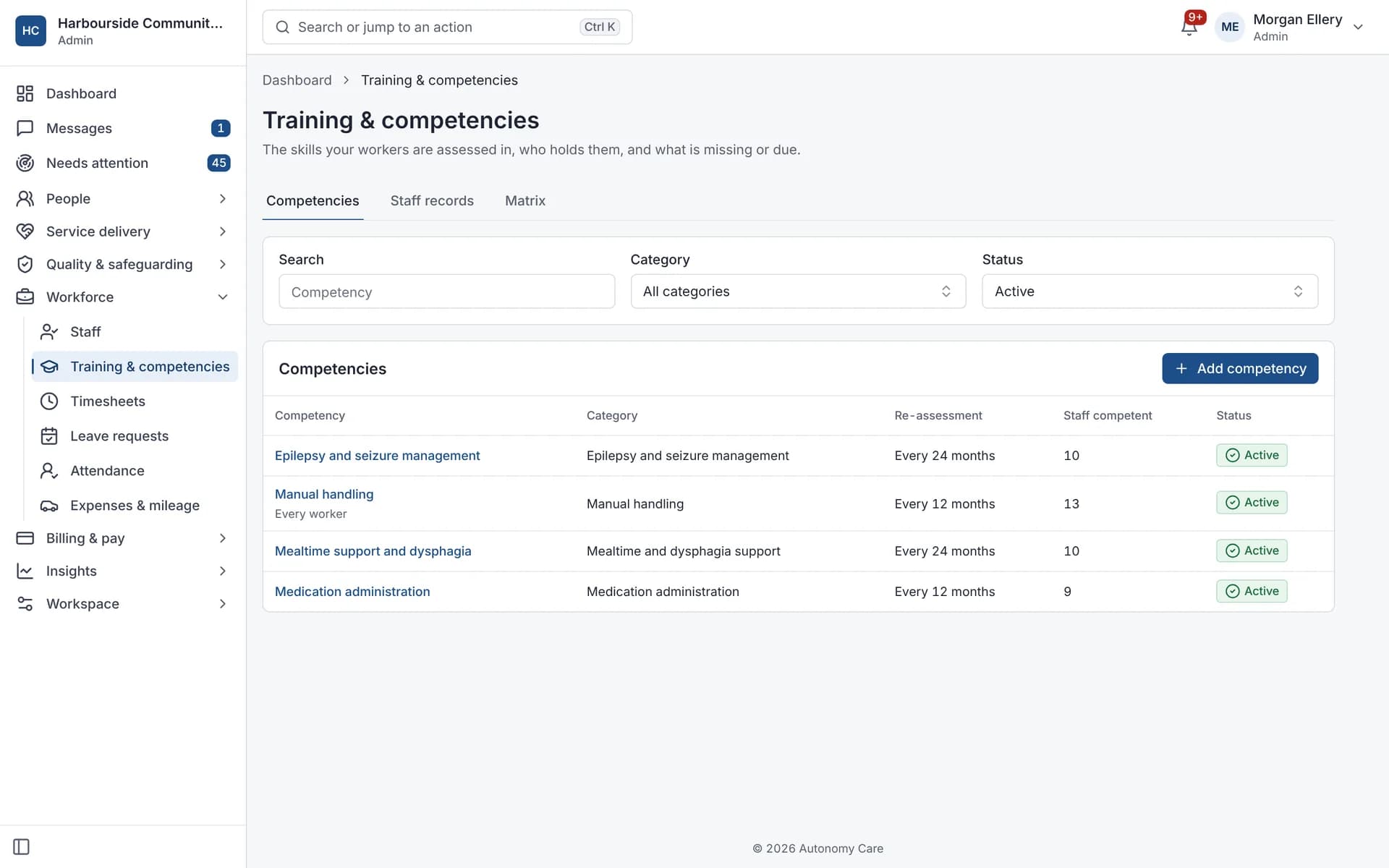
What does the training matrix show?
Active staff against competencies and required credentials, with each cell showing current, expiring within 30 days, expired, missing or not needed. It can be exported as CSV.
Does the roster check competencies?
Yes. If a participant or support item requires a competency the worker doesn't have, the assignment is flagged. Your policy decides whether that is advisory, needs a reason or blocks.
Can workers see their own training?
Yes. Workers see their training records and evidence in the Frontline Center and the app.
Onboarding
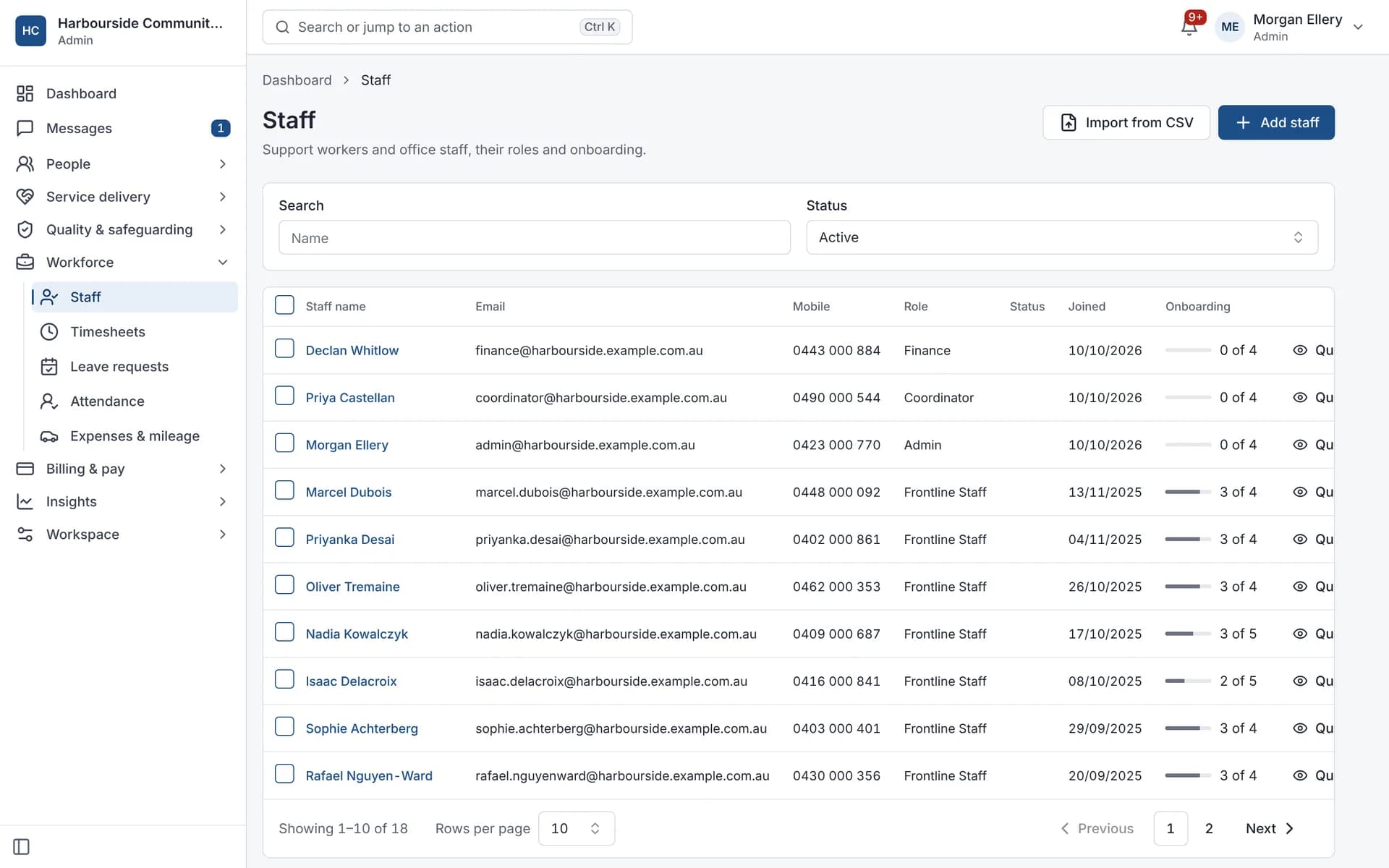
Onboarding progress for each staff member.
What it does and doesn't do
It does
- Keeps competencies with evidence and expiry dates
- Shows a training matrix that exports to CSV
- Checks competencies when rostering
It doesn't
- Doesn't deliver training courses; it isn't a learning management system
- Doesn't issue certificates or accreditations
Frequently asked questions
Can we run courses in Autonomy Care?
No. Autonomy Care records training and competencies; it doesn't deliver courses. Keep using your training provider and record the outcome here.
Will we know when a competency needs reassessment?
Yes. Competencies have expiry dates, and they show as expiring in the matrix 30 days ahead. Expiry alerts are sent daily.
Can we require evidence?
Yes. Some competencies can require evidence before a worker is marked as assessed competent.
Can we give the matrix to an auditor?
Yes. The training matrix exports as CSV.
How it works
Set up competencies
Build your list, and mark the ones that need evidence before a worker is assessed competent.
Record evidence
Attach evidence to each worker's competency and set its expiry.
Set requirements
Require competencies for a participant (for example, mealtime support) or for a support item.
Check at rostering
Workers without a current competency are flagged when assigned, following your policy.
Who uses it
Training and HR coordinators
Quality managers
Rostering coordinators
Related modules
Rostering and timesheets
NDIS rostering software schedules workers against booked supports while checking availability, credentials and plan funding. In Autonomy Care, each shift carries its support item, so the roster, timesheet and invoice stay in step. Templates, open shifts, swaps and private calendar feeds cut down the last-minute phone calls.
Document Centre
The Document Centre holds your forms, registers and policies. Autonomy Care includes a library of 71 ready-made forms you can adopt and change, template versions with approval and review dates, form records with signatures and PDF export, registers, policy acknowledgements with reminders, and a document control register that shows what needs attention.
See it with your own rosters and plans
Get started, or book a demo and we will walk you through it with your questions.