
Last updated 12 Oct 2026
Module
Reports
Reports for the questions you are asked every week
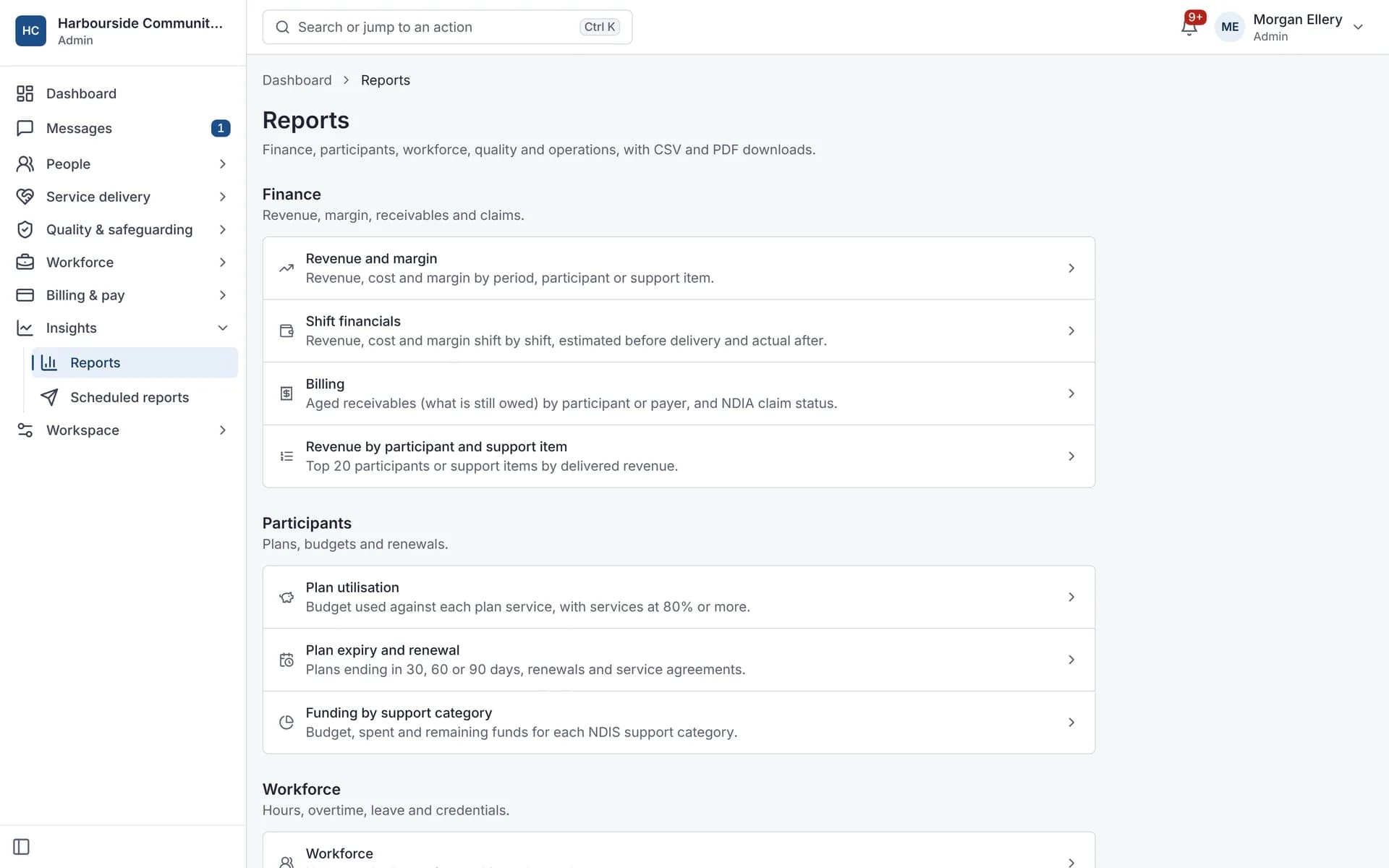
Reports show how your organisation is going across service delivery, finance, workforce and compliance. Autonomy Care has ready-made reports, such as revenue and margin, utilisation, rostering fulfilment, credential expiry and incidents, plus shift financials and an executive summary. Reports export as CSV or PDF and can be emailed daily, weekly or monthly.
Which reports are included?
Service delivery, revenue and margin, utilisation, workforce, compliance, billing, plan expiry, funding utilisation, staff hours, rostering fulfilment, incidents and complaints, credential expiry, revenue breakdowns, cancellations and an executive summary.
How do scheduled reports protect personal information?
Reports with personal data are sent as personal download links that expire after 7 days or 10 downloads. Only the executive summary is attached to the email.
What are shift financials?
A view of revenue and cost for each shift, or grouped, so you can see margin by participant, service or worker. It exports as CSV or PDF.
Is there a view of what needs attention today?
Yes. The operations overview shows "Needs attention" cards grouped under Today, People, Money and Quality. Each person sees the cards their role and your licence allow.
For owners
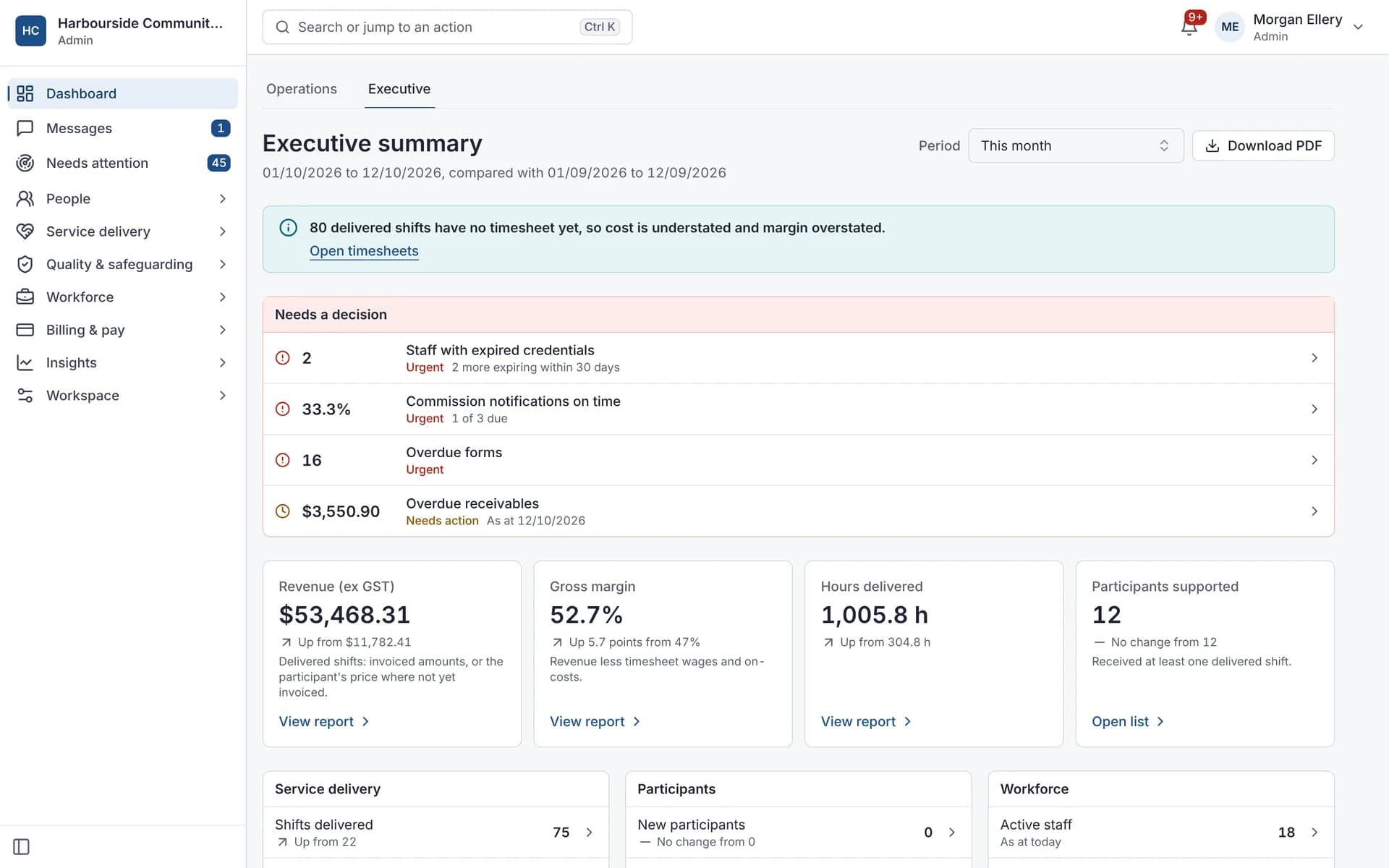
Executive summary, with a PDF.
What it does and doesn't do
It does
- Includes ready-made operational, financial and compliance reports
- Exports as CSV or PDF
- Sends reports on a schedule with permission checks
It doesn't
- Doesn't have a custom report builder
- Doesn't export business reports to XLSX
Frequently asked questions
Can I build my own reports?
Not inside Autonomy Care. Use the exports, or the public API add-on to feed your own reporting tool.
What happens if a scheduled report fails?
A schedule pauses itself after 5 failed sends, so you can check it. You can pause, resume or send now at any time.
Can reports go out in our time zone?
Yes. Schedules can use any Australian time zone.
Who can receive a report?
Up to 20 staff per schedule. Each recipient's permissions are checked every time it is sent.
How it works
Pick a report
Choose from service delivery, revenue and margin, utilisation, workforce, compliance, billing, plan expiry and more.
Filter and export
View on screen and export as CSV or PDF.
Schedule it
Send it daily, weekly or monthly to up to 20 staff. Each person's permissions are checked on every send.
Who uses it
Owners and executives
Finance managers
Operations and quality managers
Related modules
Signals
Signals are automatic checks across progress notes, the roster, invoices and messages. Every 15 minutes, Autonomy Care looks for things like missing notes, unfilled shifts, prices over the limit and unanswered messages. Each signal explains why it appeared, suggests a fix, and clears itself once the issue is resolved. The checks follow fixed, written rules, not AI.
Billing and NDIA claims
NDIS billing software turns delivered supports into invoices and NDIA claims. Autonomy Care emails invoices to plan managers and self-managed participants, and builds the bulk payment request file you upload in the myplace provider portal. It checks lines against price limits first, then matches the remittance so rejected lines can be fixed and claimed again.
Rostering and timesheets
NDIS rostering software schedules workers against booked supports while checking availability, credentials and plan funding. In Autonomy Care, each shift carries its support item, so the roster, timesheet and invoice stay in step. Templates, open shifts, swaps and private calendar feeds cut down the last-minute phone calls.
See it with your own rosters and plans
Get started, or book a demo and we will walk you through it with your questions.