
Last updated 12 Oct 2026
Module
Dashboards
What needs attention, and how it's going
Dashboards in Autonomy Care show what needs attention today, under Today, People, Money and Quality, filtered to each person's role. Owners also get an executive summary: revenue, margin, hours, participants, workforce, quality and billing against the last period, with four charts and a PDF to share with the board.
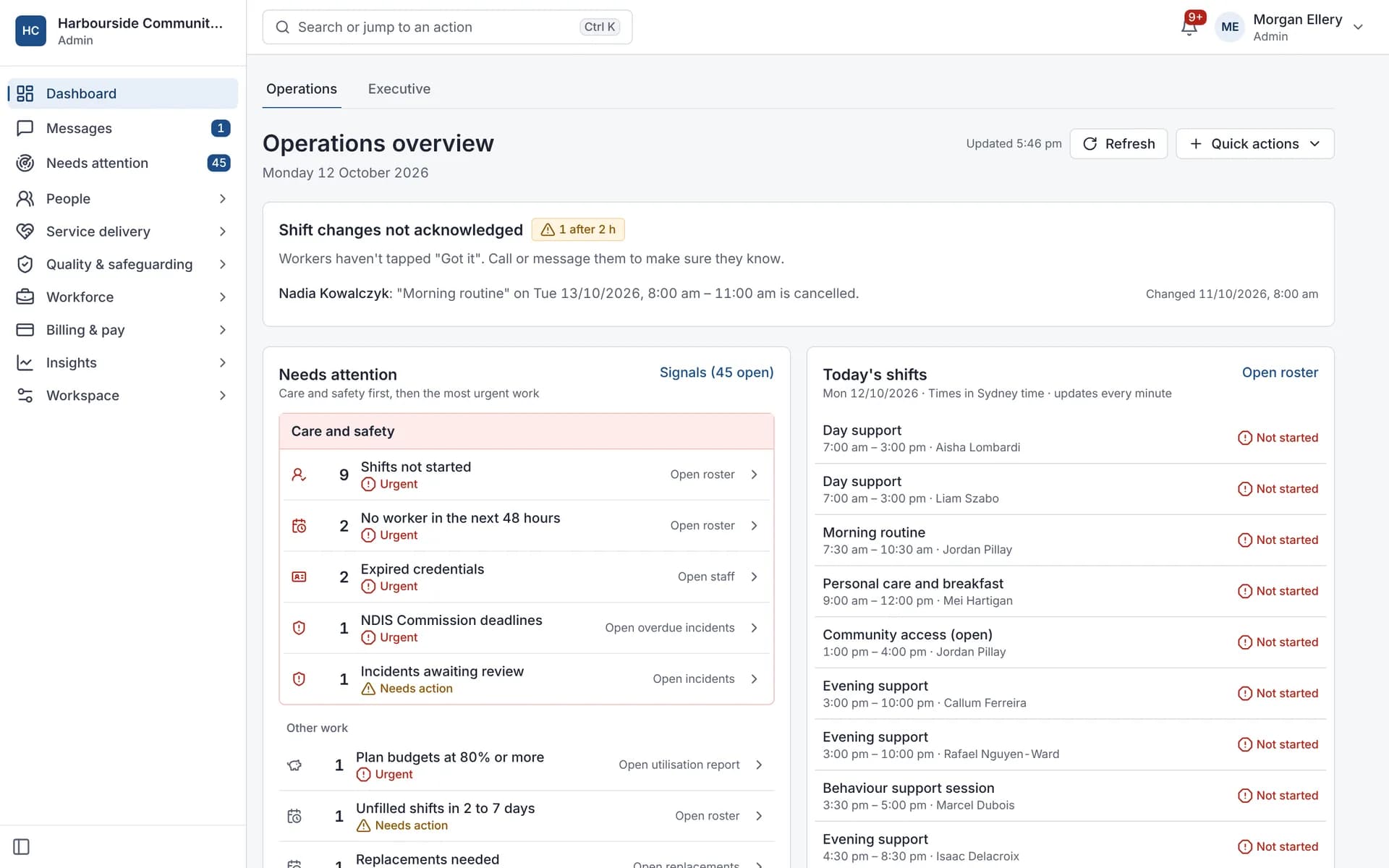
What's on the overview?
Cards for what needs doing, grouped under Today, People, Money and Quality. Each person sees the cards for their role and for the parts of Autonomy Care your organisation uses, and each card opens the records behind it.
What's in the executive summary?
Measures for finance, service delivery, participants, workforce, quality and billing, compared with the last period. Four charts show revenue over time, hours by service, incidents by month and money owed by age. You can download it as a PDF.
For owners
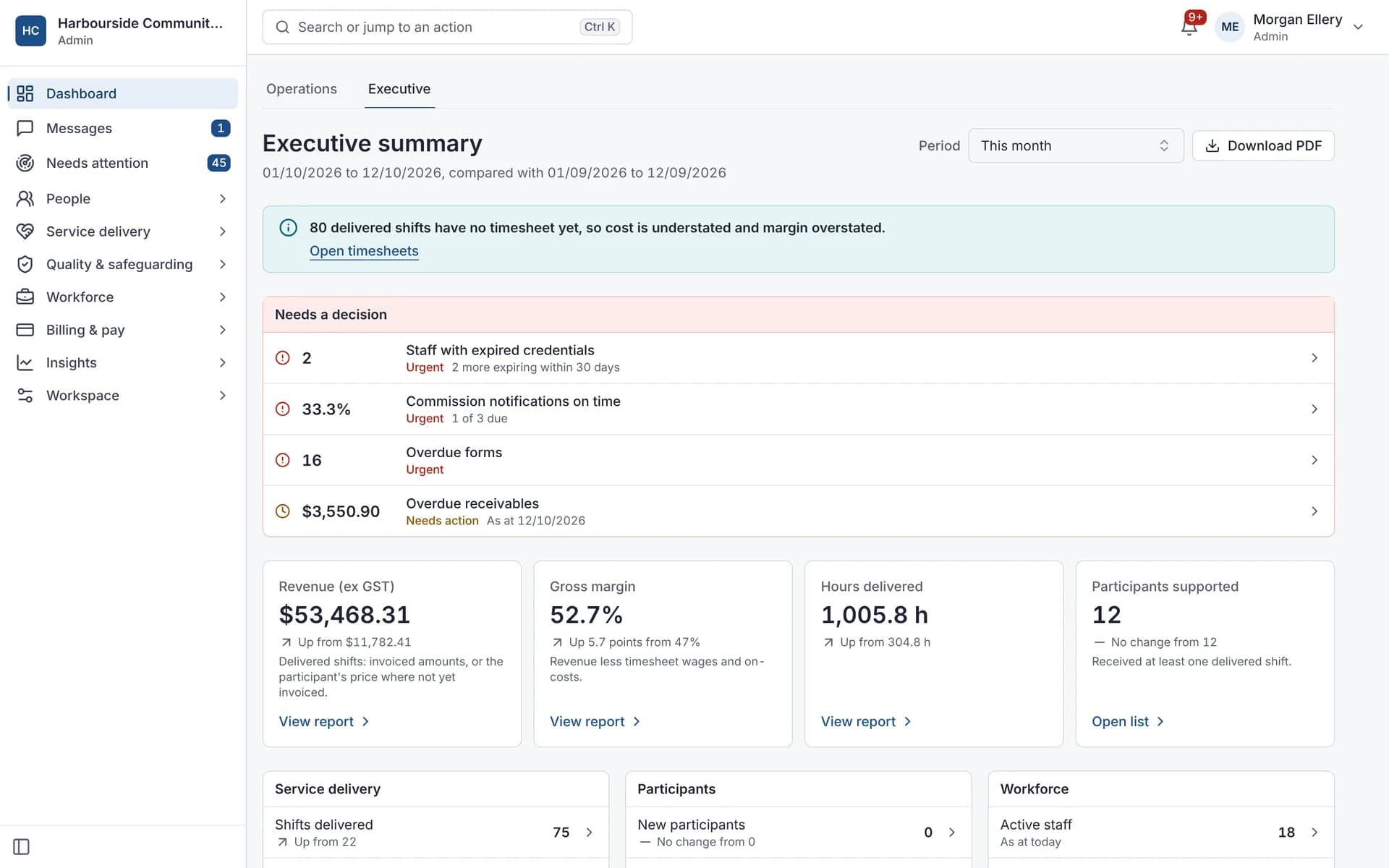
The executive summary, with a PDF.
What it does and doesn't do
It does
- Shows what needs attention, by role
- Compares this period with the last
- Downloads the summary as a PDF
It doesn't
- Doesn't let you build your own dashboard layouts
- Doesn't replace your accounting reports
Frequently asked questions
Does everyone see the same dashboard?
No. Each person sees the cards for their role and for the parts of Autonomy Care your organisation uses. Each card opens the records behind it.
Can we share the executive summary with our board?
Yes. The executive summary compares this period with the last, and downloads as a PDF to share.
Can we build our own dashboard layouts?
No. The overview and the executive summary have set layouts. For your own analysis, use the exports, or the public API add-on to feed your own reporting tool.
How it works
Open
The overview shows what needs attention, grouped under Today, People, Money and Quality.
Act
Each card links to the records behind it.
Step back
The executive summary compares this period with the last.
Share
Download the summary as a PDF.
Who uses it
Owners
Coordinators
Finance teams
Related modules
Reports
Reports show how your organisation is going across service delivery, finance, workforce and compliance. Autonomy Care has ready-made reports, such as revenue and margin, utilisation, rostering fulfilment, credential expiry and incidents, plus shift financials and an executive summary. Reports export as CSV or PDF and can be emailed daily, weekly or monthly.
Signals
Signals are automatic checks across progress notes, the roster, invoices and messages. Every 15 minutes, Autonomy Care looks for things like missing notes, unfilled shifts, prices over the limit and unanswered messages. Each signal explains why it appeared, suggests a fix, and clears itself once the issue is resolved. The checks follow fixed, written rules, not AI.
See your week at a glance
Book a demo and we'll show the overview with your questions.