
For Australian NDIS providers
Catch problems before they cost you
Autonomy Care is built only for NDIS providers. It checks the rules before every shift, pay run and claim, so mistakes are caught early and everyone knows what to do next.
Melbourne-based support
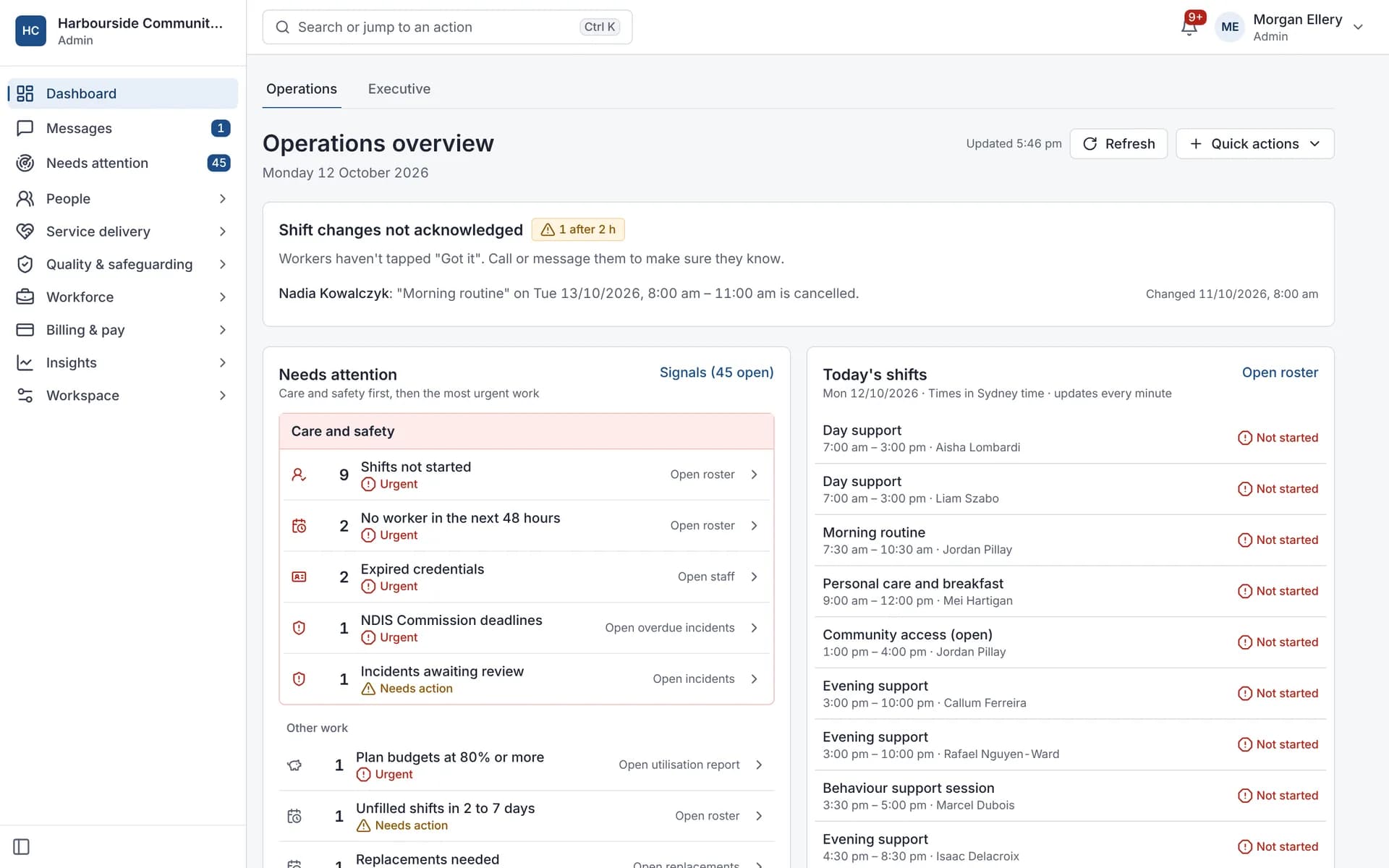
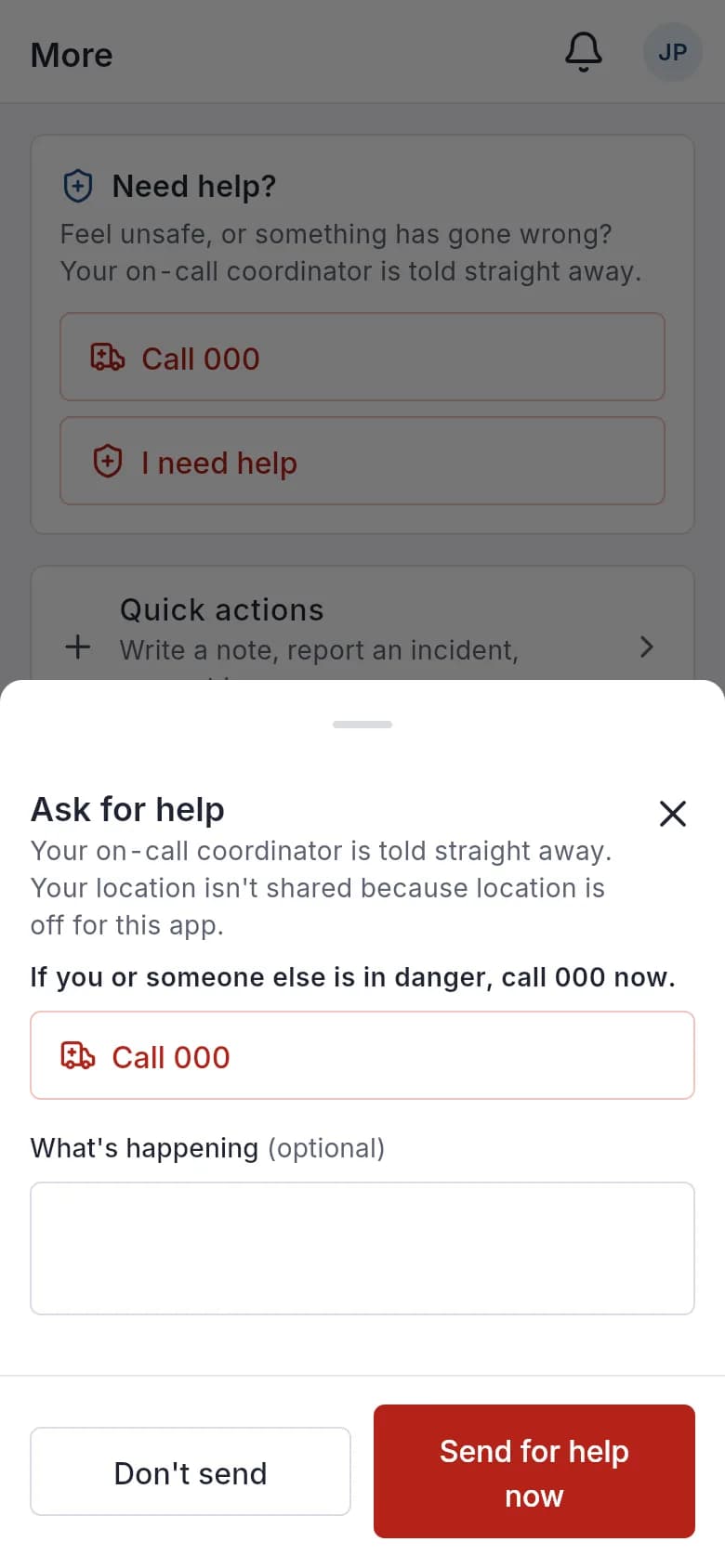
Rosters, attendance, shift notes, incidents, SCHADS pay, invoices and NDIA claim files all share one record. Clear, written rules check each step before a mistake costs you money, puts someone at risk or damages trust. Support workers get a phone app with help one tap away, and participants and families get a portal that's easy to read.
Built for everyone involved
For the people who run the service, the people who deliver it, and the participants and families they support.
NDIS providers
See what needs your attention today, and have the evidence ready when the auditor asks.
Support workers
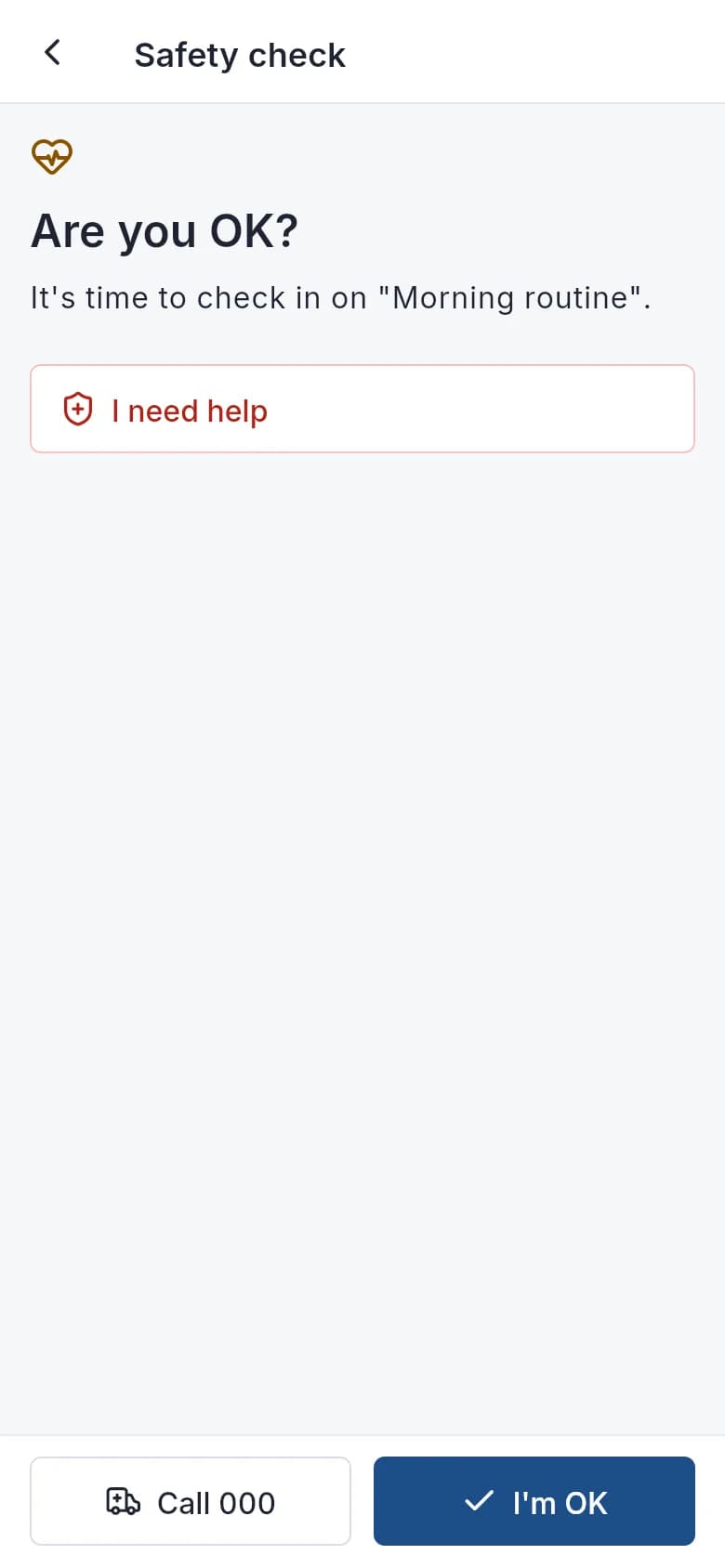
Your shifts, notes and pay in one app, with help one tap away when you're working alone.
Participants and families
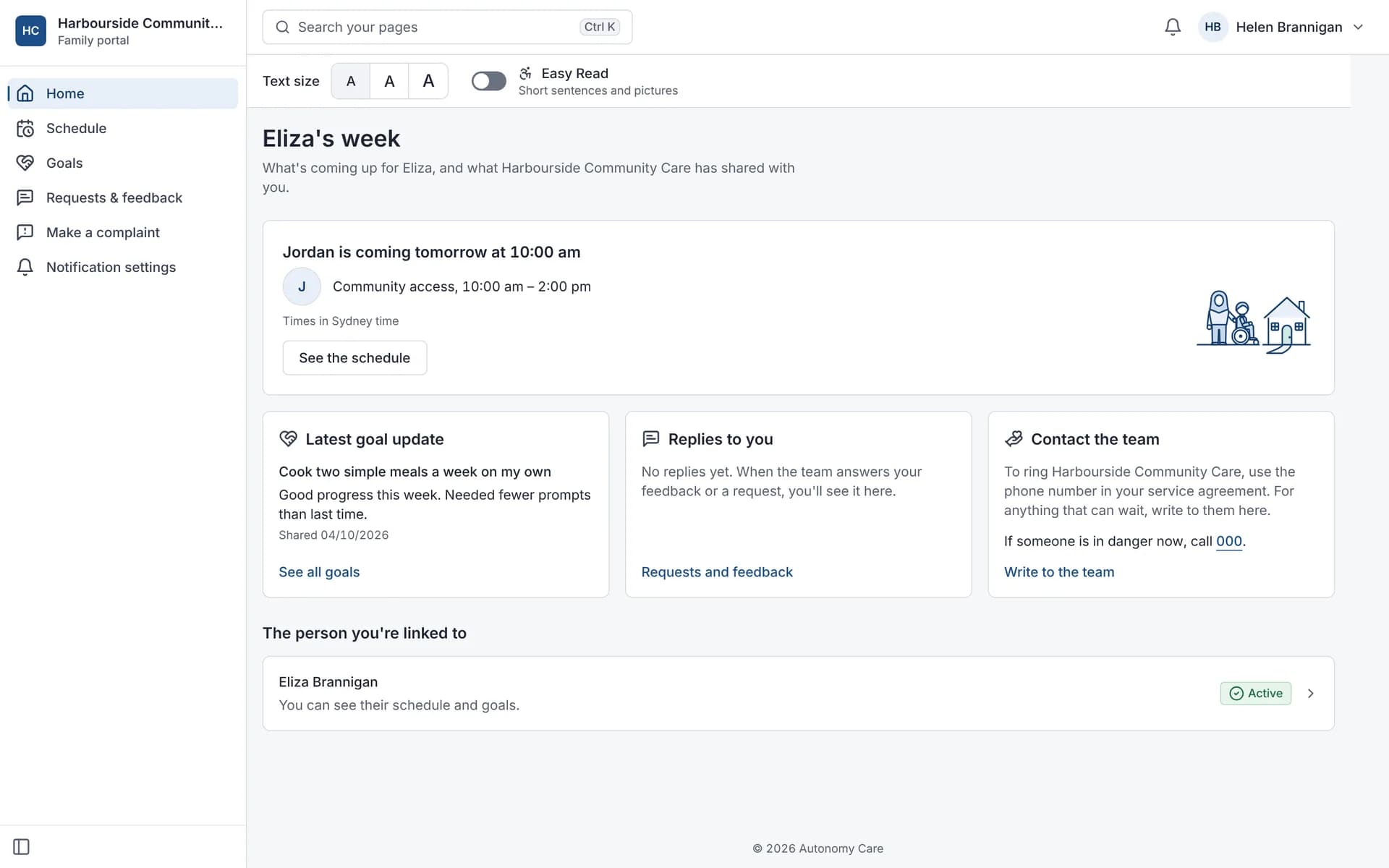
Know who's coming and when, follow the goals you're working on, and raise a concern or make a complaint safely, in a format that suits you.
A day with Autonomy Care
One provider's day, from the first sick call to the claim file, in one set of records.
A worker calls in sick
The coordinator offers the open shift to workers with the right training and availability. Someone accepts it in the app.
Rostering and timesheetsHandover at a SIL house
The night worker's notes are on the participant's record before the day worker arrives.
Progress notesAn incident on a community outing
The worker records it from their phone. A manager reviews it the same afternoon and adds a corrective action.
Incident managementTimesheets come in
Hours are approved against the roster, so the same shift feeds payroll and billing.
Rostering and timesheetsThe claim file is ready
Approved supports are checked against price limits and built into a bulk payment request to upload in the myplace provider portal.
NDIS billing and claims
One record, from roster to remittance
Each step uses what the last one recorded, so nothing is entered twice.
Step 1 of 8
Roster
Worker screening, qualifications, breaks between shifts and hours are checked as you assign a worker.
Step 2 of 8
Attendance
Workers clock in and out on their phone, even without reception.
Step 3 of 8
Progress note
A simple checklist at clock-out: the goal worked on, the support given, and enough detail to be useful.
Step 4 of 8
Timesheet
Rostered and actual times side by side, with differences flagged.
Step 5 of 8
SCHADS pay
Pay lines from approved timesheets, under the SCHADS Award.
Step 6 of 8
Invoice
Grouped per participant and payer: NDIA, plan manager or self-managed.
Step 7 of 8
Claim pre-check
Plan dates, duplicate references and price limits are checked before the file is built.
Step 8 of 8
Remittance
Import the remittance, see rejection reasons, then correct and resubmit.
Pay follows the SCHADS Award (rates current to 1 September 2026), for the disability and home care streams. Autonomy Care calculates pay, but it doesn't replace advice from a payroll or employment professional.
Signals
Checks you can read
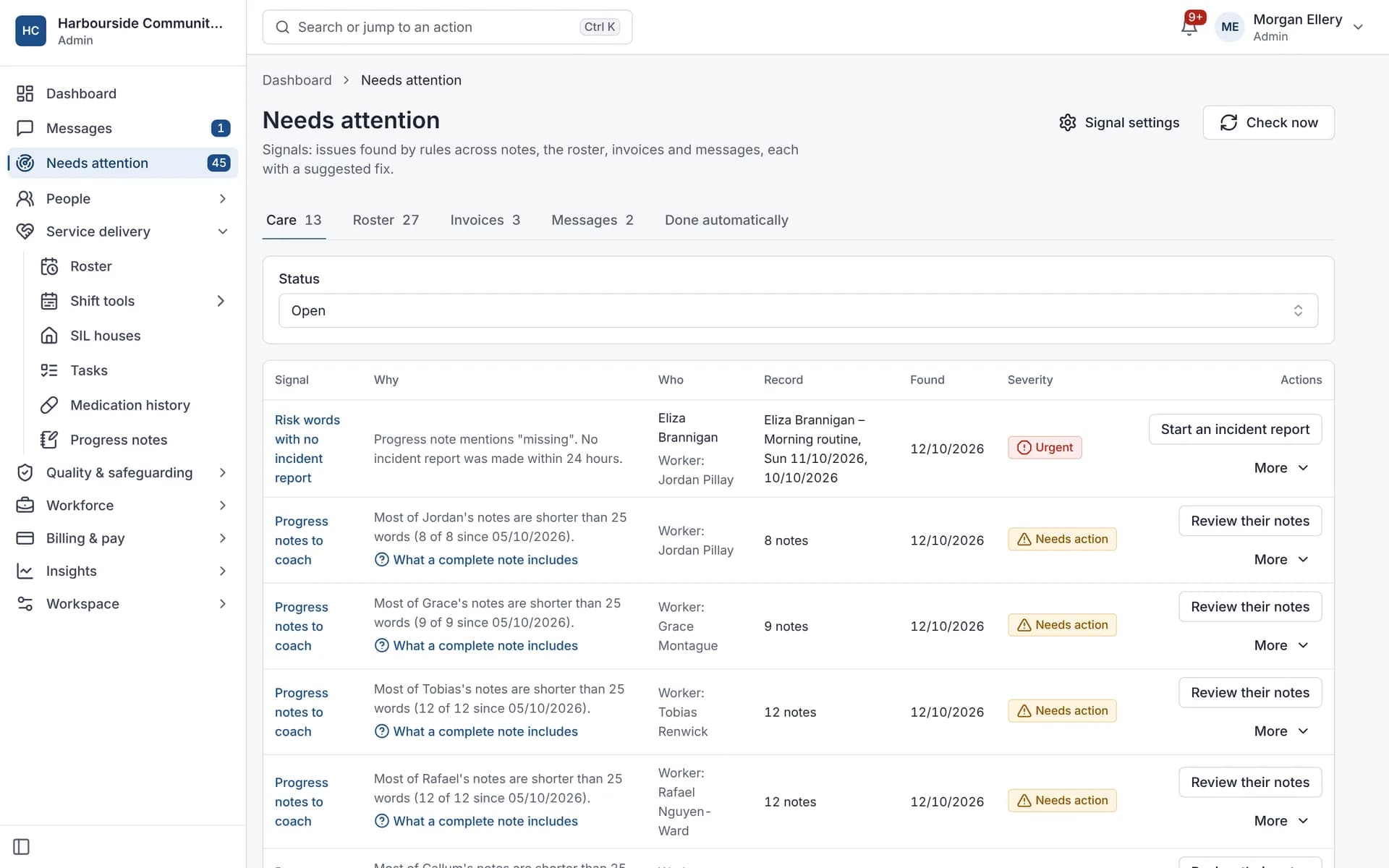
Signals follow fixed, written rules, not AI guesswork, so you can always see why one was raised. They run every 15 minutes, and each one offers a fix.
- A shift with no progress note
- Notes that mention a fall, injury or other incident but have no incident report
- Roster gaps and invoice problems
- A fix button beside each one
Worker safety
Help one tap away for people working alone
If a worker's clock-out is overdue or they miss a check-in, the app asks "Are you OK?". If they don't respond, or tap "I need help", the on-call coordinator is alerted straight away.
- A "Call 000" button on every help screen
- Running late? One tap tells the coordinator
- Lock-screen notifications never show participant details
Family portal
Words that work for families
Families can switch on Easy Read, with short sentences and pictures, and choose one of three text sizes. The setting is saved to their account.
Read about Autonomy Care in Easy Read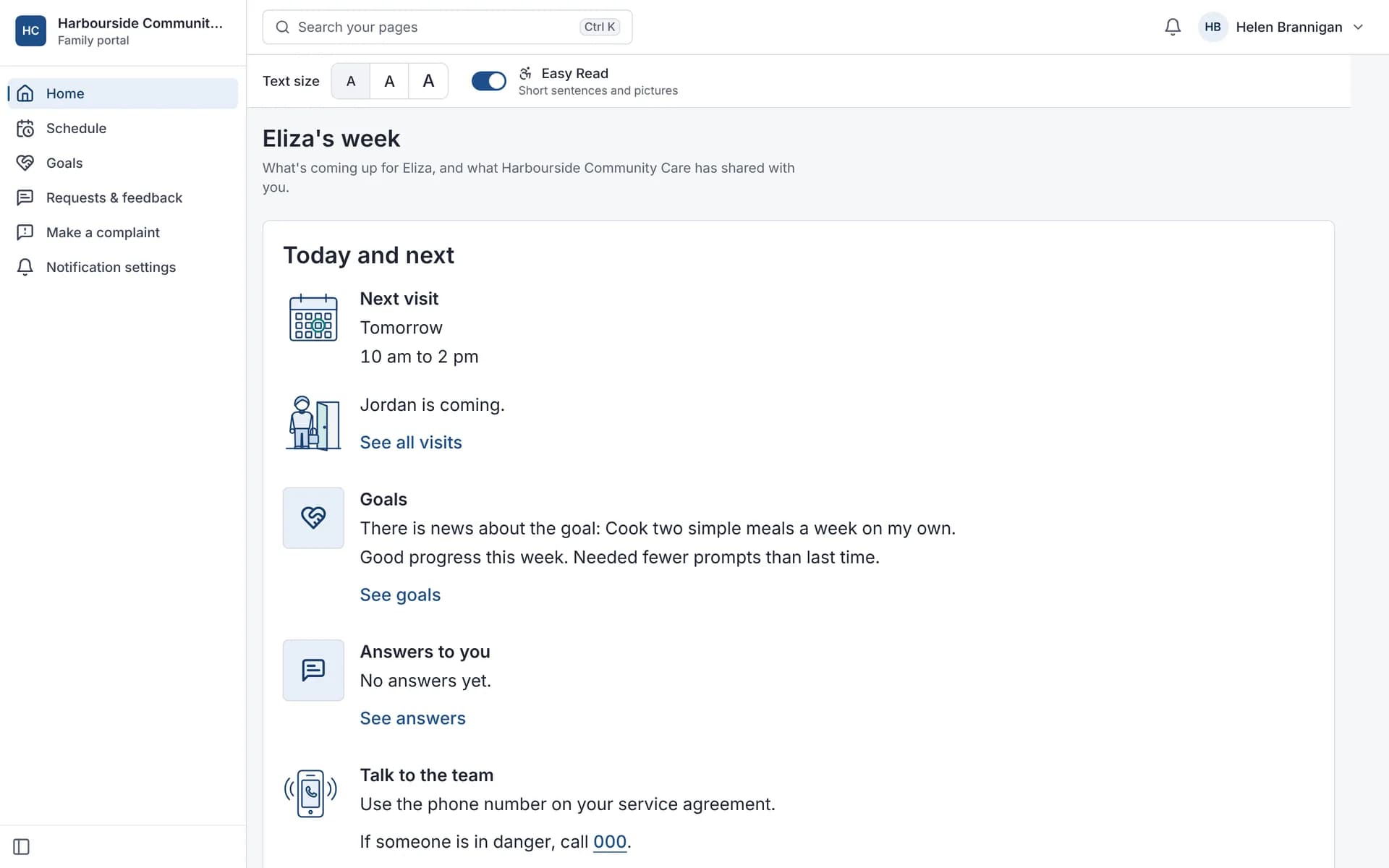
Free tools, no sign-up
For providers, participants and families alike.
NDIS price limits lookup
Search support items and see this year's national, remote and very remote limits.
NDIS budget calculator
See roughly how far a plan budget goes for the supports you choose.
Time and cost savings calculator
Estimate admin time with your own numbers. Every assumption is shown.
Ask Autonomy Care
Answers come from our published help, glossary and module pages, with a link to each source.
For organisations of every size
The same Autonomy Care, set up for how you run.
Small providers
One place for a small team: rosters, notes, claims and pay together.
For small providersSIL providers
House rosters, staffing gaps, handovers and shared support claimed fairly.
For SIL providersEnterprise and multi-site
Roles, single sign-on, activity logs that can't be edited, the API and finance connections.
For larger providers
What do Australian providers ask before they switch?
Straight answers to the questions we hear most.
Does it help with the NDIS Practice Standards?
It keeps the records auditors ask about: incident management, complaints, risks, worker screening, training, medication, restrictive practices and corrective actions. Your organisation is still the one audited, and Autonomy Care doesn't hold any NDIS certification.
Incidents and complaintsDoes it work with our accounting and payroll?
Yes. It connects with Xero, MYOB, QuickBooks Online and Employment Hero Payroll, so invoices, payments and approved hours aren't typed twice.
IntegrationsHow do we move our records over?
Our team helps you move participants, workers and service agreements over from spreadsheets or other software, and staff can also be imported from a spreadsheet.
Switching to Autonomy CareWho's behind it?
Autonomy Ops, an Australian business based in Werribee, Melbourne (VIC 3030). Email [email protected].
About usWhat does it cost?
See what each plan includes, then contact us for a quote that fits the size of your organisation.
Pricing
Common questions
Who is Autonomy Care for?
Registered and unregistered NDIS providers in Australia, from small teams to multi-site organisations running SIL houses and community supports.
How do we get started?
Choose Get started and send your organisation's details and ABN. We review each application and email you when your account is ready. Our team also helps you move participants, workers and service agreements over from spreadsheets or other software.
See it with your own services
A demo walks through one day: the roster, a shift, a note, an incident and the claim file.