
Last updated 12 Oct 2026
Module
Payroll and the SCHADS Award
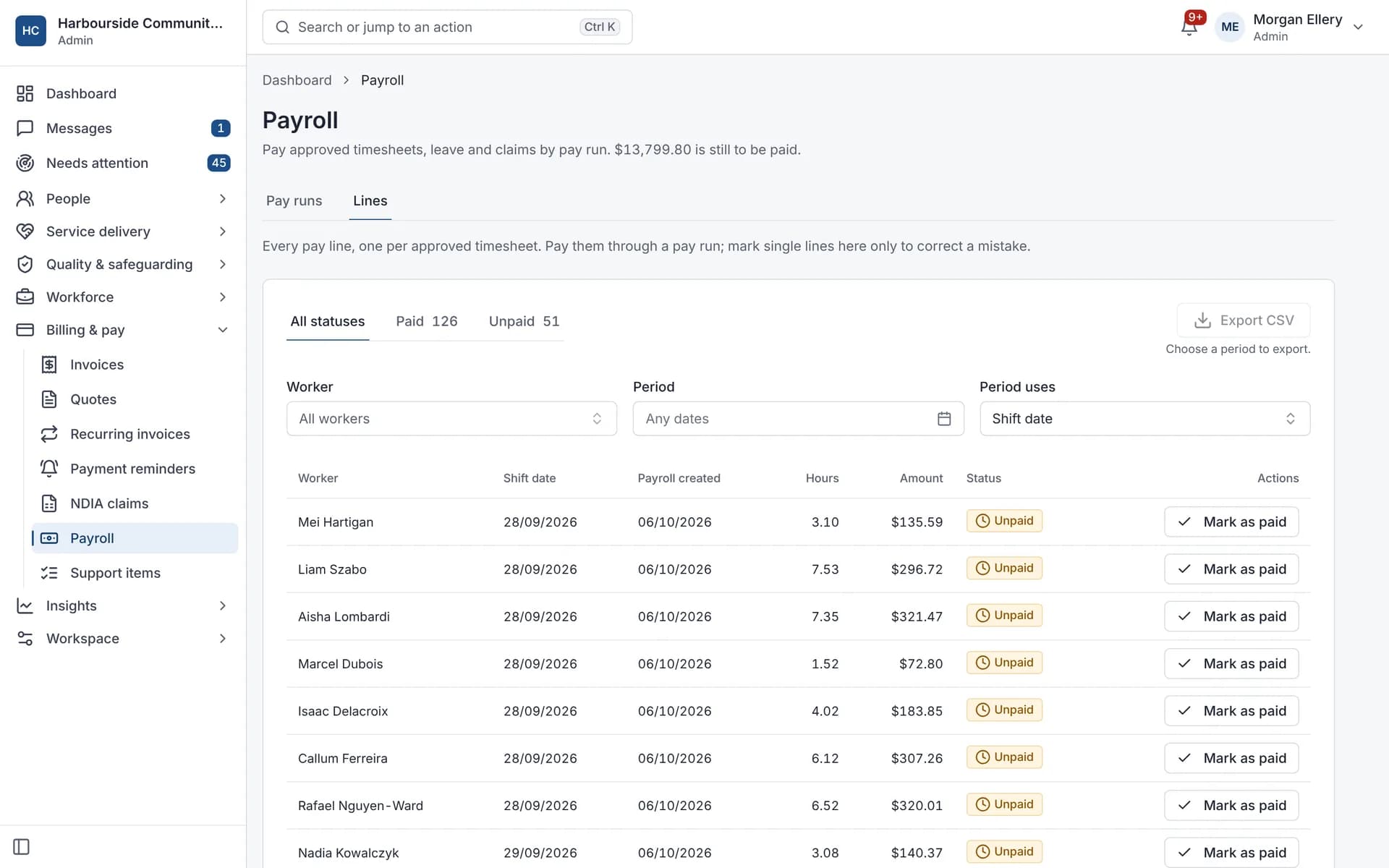
SCHADS Award pay calculated from the timesheet
Autonomy Care calculates timesheet pay under the SCHADS Award (MA000100) for the disability and home care streams. It covers weekend and public holiday rates, overtime, shift loadings, minimum engagement, broken shifts and sleepovers, flags cases for a person to decide, and exports pay runs to payroll. Have a payroll specialist check your setup.
Used by SIL providers.
Which SCHADS rules are applied?
Weekend rates, public holidays by state, casual loading, daily and weekly overtime, afternoon and night loadings, the day-worker span, minimum engagement for part-time and casual staff, broken shift allowances and span, rest between shifts, and sleepovers. The rules follow the award as consolidated to 1 September 2026, and add the interim increase for the home care stream (Schedule E) from the first full pay period on or after 1 December 2026.
How are sleepovers and broken shifts paid?
Sleepovers get an allowance of 4.9% of the award's standard rate per night, with disturbances paid at overtime rates and a minimum payment of 1 hour. Broken shifts get an allowance of 1.7% of the standard rate with one unpaid break, or 2.25% with two, and work past the 12-hour span is paid at double time. The standard rate changes with each annual wage review, so check the current dollar amounts in the Fair Work pay guide.
Is this payroll advice?
No. It is payroll software that applies the award rules you set up. Base rates are entered for each worker and aren't checked against classification minimums, so have a payroll specialist review your setup.
Does it check SCHADS rules when rostering?
Not the pay rules. At roster time it checks fatigue limits: rest breaks (10 hours by default, 8 next to a sleepover), daily span and maximum hours. SCHADS pay is calculated on the timesheet.
From timesheet to pay
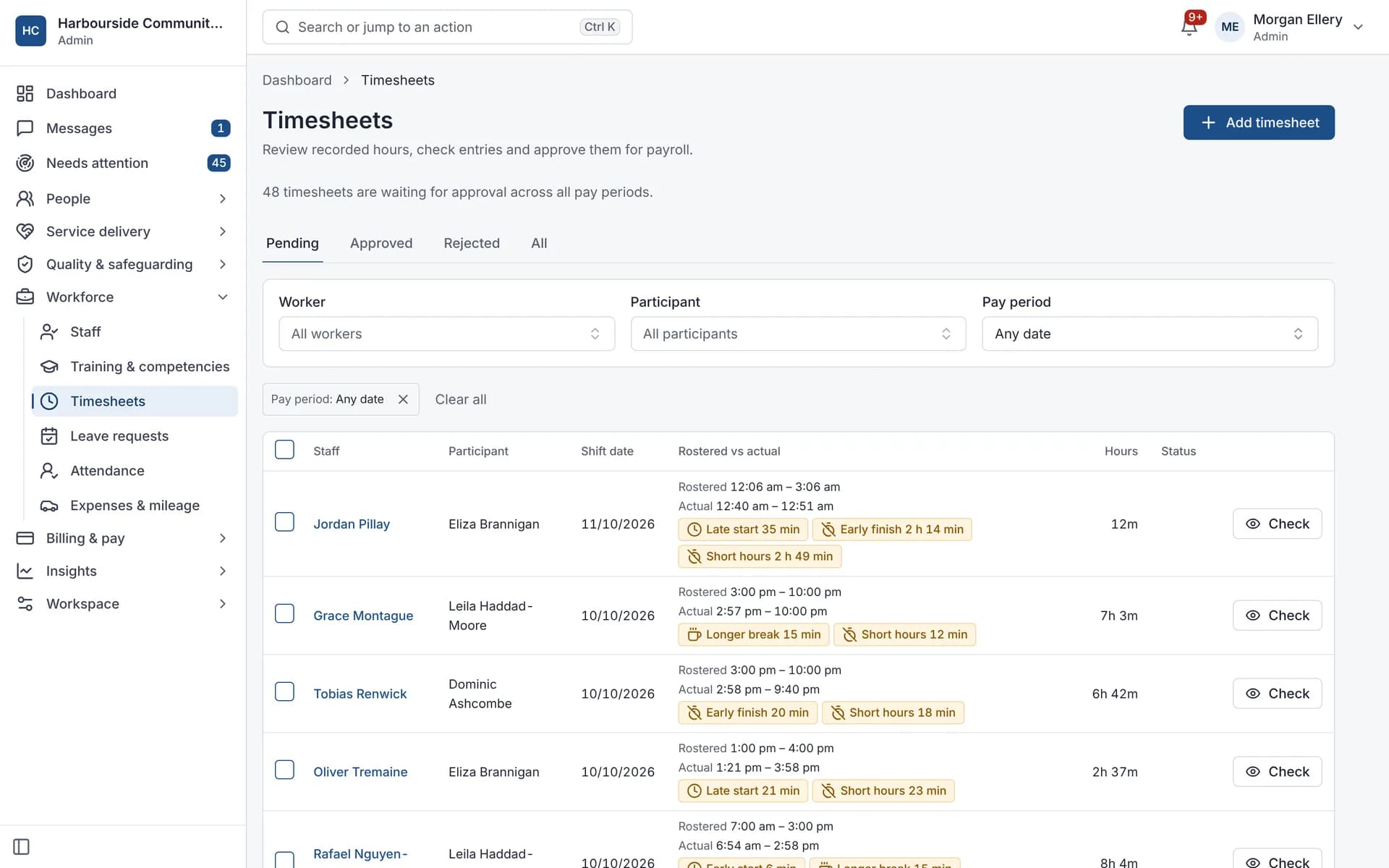
Differences flagged before approval. 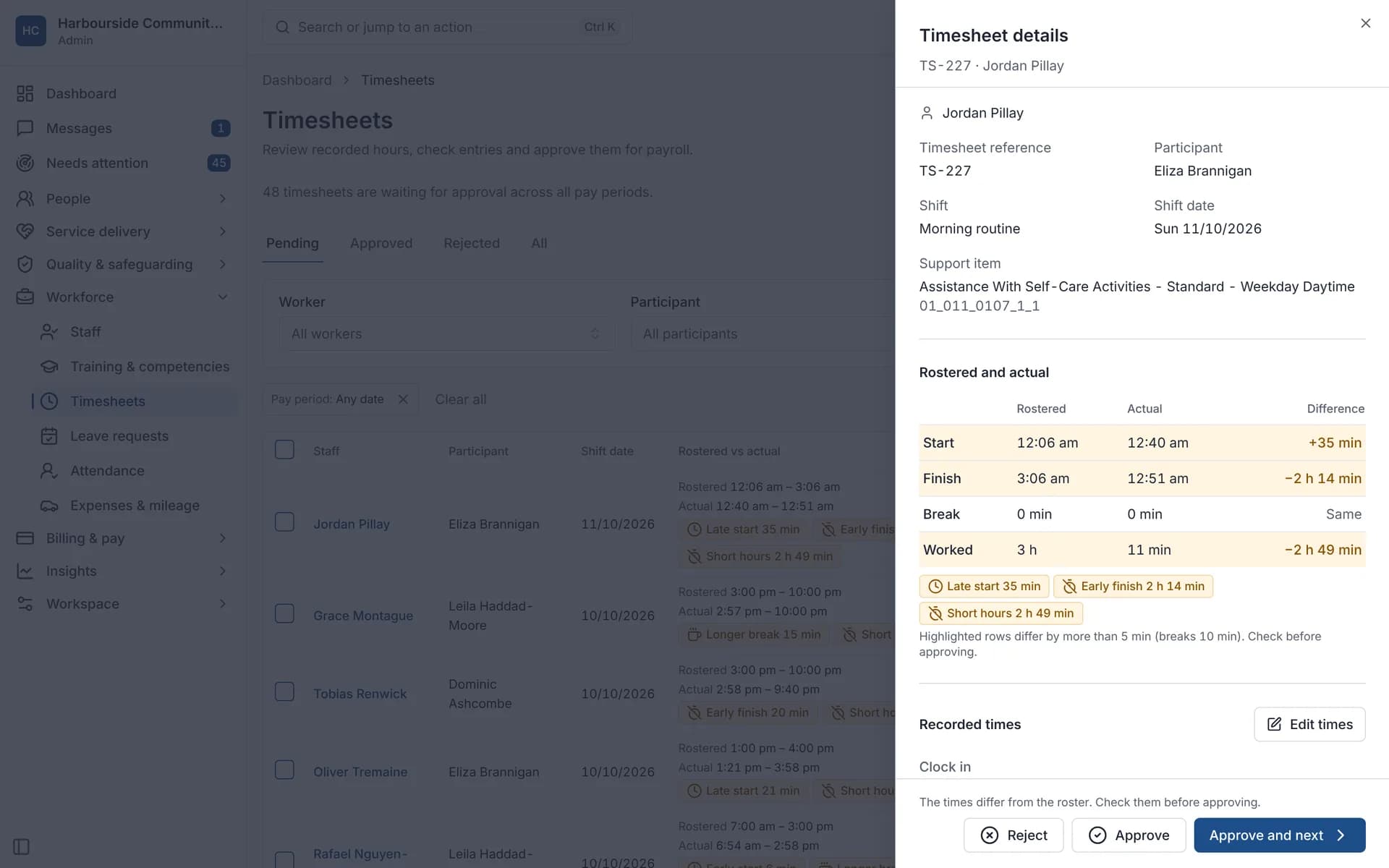
Rostered against actual, side by side. 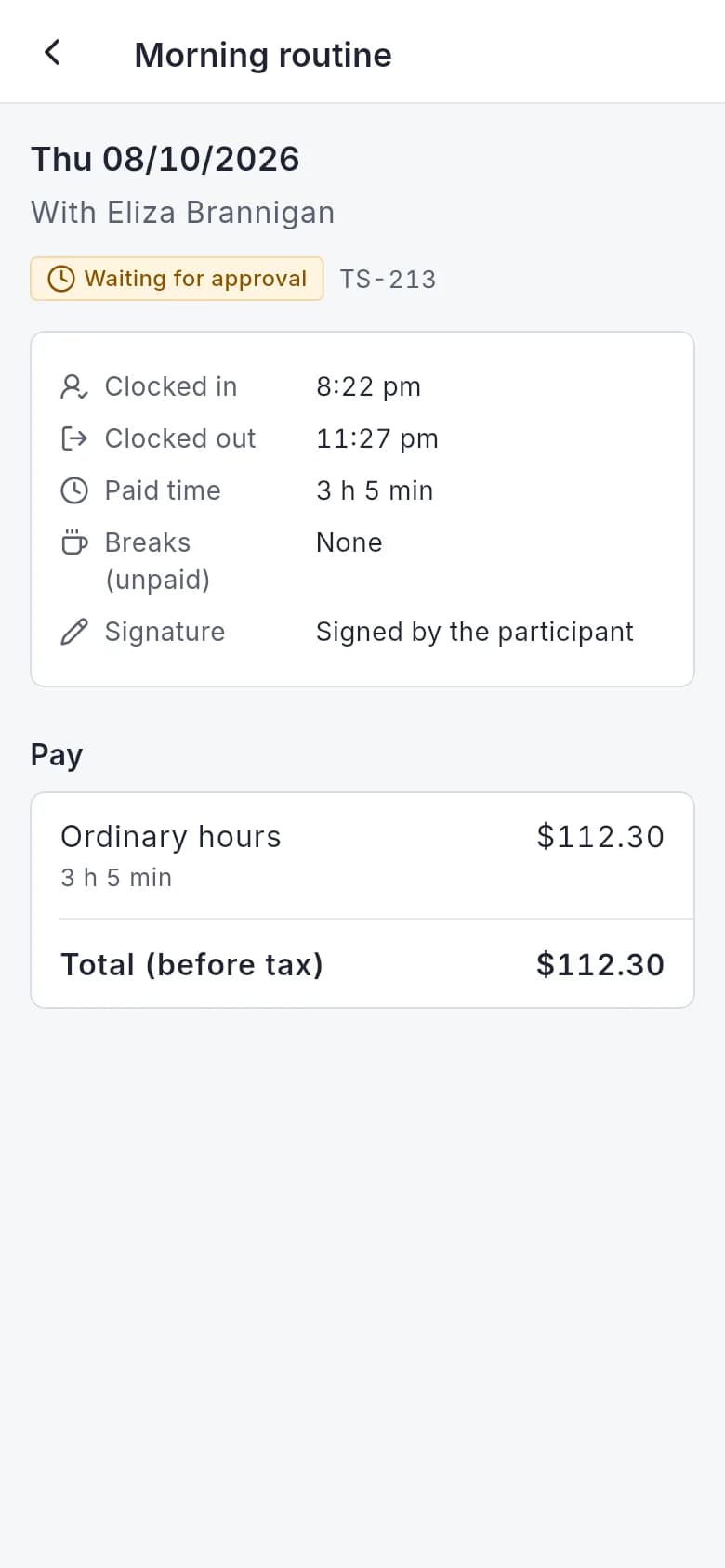
Workers see the pay lines for each shift.
What it does and doesn't do
It does
- Calculates SCHADS pay on timesheets for the disability and home care streams
- Flags cases that need a person to decide
- Builds weekly or fortnightly pay runs
- Exports a payroll CSV, or to Xero Payroll, MYOB or Employment Hero Payroll
It doesn't
- Isn't payroll advice
- Doesn't cover every award clause, such as 24-hour care, on-call and recall, or allowances other than sleepover and broken shift
- Doesn't cover the SACS, crisis accommodation or family day care streams
- Doesn't export payroll to QuickBooks
Frequently asked questions
Is this payroll advice?
No. Autonomy Care applies the rules you set up. Check your setup with a payroll specialist and the Fair Work pay guides.
Which award version does it follow?
The calculator follows the SCHADS Award text consolidated to 1 September 2026, including the June 2026 sleepover variation, and adds the interim increase for the home care stream (Schedule E) from the first full pay period on or after 1 December 2026.
Which payroll systems can it export to?
A payroll CSV for any system, and connections that send approved hours to Xero Payroll AU, MYOB and Employment Hero Payroll.
Is leave included in the pay run?
Yes. Approved leave flows into the pay run, including the 17.5% loading under the SCHADS Award where it applies.
Can contractors be paid through it?
The SCHADS calculator is switched on per staff member through their pay rate. Contractors who aren't employees aren't paid under the award.
How it works
Approve timesheets
Approved hours are calculated under the SCHADS rules for staff whose pay rate uses the calculator.
Review flags
Cases such as a short rest between shifts, a delayed meal break or overlapping shifts are flagged for a person to decide.
Build the pay run
The pay run gathers timesheet pay, leave pay and approved claims for the weekly or fortnightly period.
Export
Export a payroll CSV, or send it to Xero Payroll, MYOB or Employment Hero Payroll where connected.
Who uses it
Payroll officers
Finance managers
Rostering coordinators
Related modules
Rostering and timesheets
NDIS rostering software schedules workers against booked supports while checking availability, credentials and plan funding. In Autonomy Care, each shift carries its support item, so the roster, timesheet and invoice stay in step. Templates, open shifts, swaps and private calendar feeds cut down the last-minute phone calls.
Integrations
Integrations connect Autonomy Care to Xero, MYOB, QuickBooks Online, HubSpot and Employment Hero Payroll. Invoices and customers go to your accounting system with payment status read back, approved SCHADS hours go to payroll, and plan managers and support coordinators go to HubSpot. Connections use OAuth, with a sync log and automatic retries.
See it with your own rosters and plans
Get started, or book a demo and we will walk you through it with your questions.