
Last updated 12 Oct 2026
Module
Document Centre
Forms, policies and document control in one place
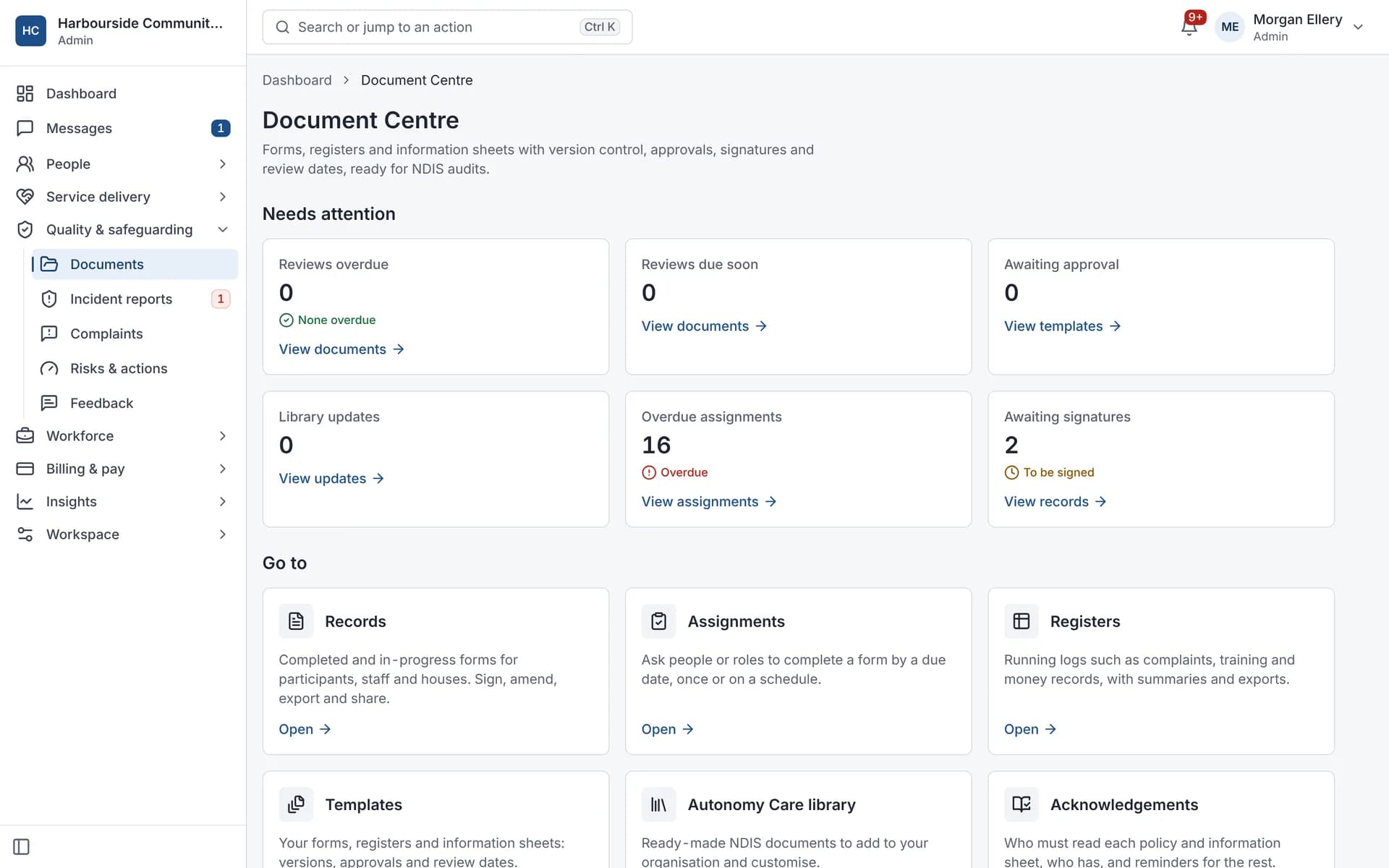
The Document Centre holds your forms, registers and policies. Autonomy Care includes a library of 71 ready-made forms you can adopt and change, template versions with approval and review dates, form records with signatures and PDF export, registers, policy acknowledgements with reminders, and a document control register that shows what needs attention.
Used by Small providers.
What is in the form library?
The library has 71 ready-made templates across governance, HR, incidents, participants, safety, SIL, complaints and operations. Examples include intake, service agreement, risk assessment, shift handover and SIL charts. Library updates can be merged into the versions you adopted.
How does document control work?
Each template version has a review interval and a next review date. The document control register lists every controlled document with what needs attention, and can be exported to CSV or XLSX.
How are policies and acknowledgements tracked?
You publish a policy to all staff or chosen roles with a due date (14 days by default). Weekly reminders go to anyone who hasn't acknowledged it, and a report shows who has.
Who can see form records?
Access follows your roles, and sensitive records need a separate permission. Every view and export of a record is written to an append-only access log.
What it does and doesn't do
It does
- Includes 71 ready-made forms to adopt and adapt
- Versions templates with approval and review dates
- Exports records as branded PDFs with a signing certificate
- Tracks policy acknowledgements with reminders
- Logs every view and export of a record
It doesn't
- Doesn't make your policies compliant by itself; forms are a starting point to review
- Isn't a general file share for any document type
Frequently asked questions
Are the library forms ready to use as they are?
They are a starting point. Review and adapt each form to your organisation, services and state before you use it.
Can I export a participant's whole file?
Yes. One participant's records can be exported as a ZIP of PDFs with an index.
Can we keep our own registers?
Yes. Registers can have your own columns and header fields, row reminders, and export to CSV or XLSX (XLSX keeps dropdowns).
Can we see who opened a record?
Yes. Views and exports are written to an access log for each record and across the organisation. The log can't be edited or deleted.
How it works
Adopt from the library
Pick forms from the library, such as intake, service agreement, risk assessment, SIL charts and incident forms, and adapt them.
Approve and publish
Templates go through submit, approve and publish, with a review interval that sets the next review date.
Assign and complete
Assign forms with due dates. Reminders go 7 days before, on the day and when overdue.
Track acknowledgements
Publish policies to all staff or chosen roles. A new version asks for a new acknowledgement.
Who uses it
Quality and compliance managers
HR teams
Coordinators and support workers
Related modules
E-signatures
E-signatures let participants, families and staff sign Document Centre forms, such as service agreements, without printing. Autonomy Care sends a single-use link, checks a one-time code, follows the signing order you set, sends reminders, and adds a signing certificate to the record's PDF. People with Family portal access can sign there instead.
Training and competencies
Training and competencies keeps a record of each worker's competencies, evidence and expiry dates, shown in a training matrix. In Autonomy Care you can require competencies for a participant or a support item, and the roster checks them when you assign a shift, using the advisory, reason or block policy you choose.
Incidents and complaints
Registered providers must manage all incidents and notify the NDIS Commission of reportable incidents within set timeframes. Autonomy Care walks workers through a report that starts with safety, tells the on-call coordinator about 24-hour categories, tracks Commission deadlines with alerts, and won't close an incident until the required steps are recorded.
Quotes and service agreements
A service agreement sets out the supports, prices and terms agreed with a participant. In Autonomy Care you build a quote from support items, checked against price limits, send it as a PDF and keep versions. When the participant accepts, the quote lines go into a draft service agreement that you complete and send for e-signature.
See it with your own rosters and plans
Get started, or book a demo and we will walk you through it with your questions.