
Last updated 12 Oct 2026
Who it's for
For NDIS providers
See what needs a person today, and have the evidence when the auditor asks
Autonomy Care gives NDIS provider teams one place for rostering, shift notes, incidents, claims and pay. Owners and quality leads see what needs a person today, coordinators get rosters checked against their rules as they assign, and finance staff build NDIA bulk payment request files and payroll from the same approved shifts.
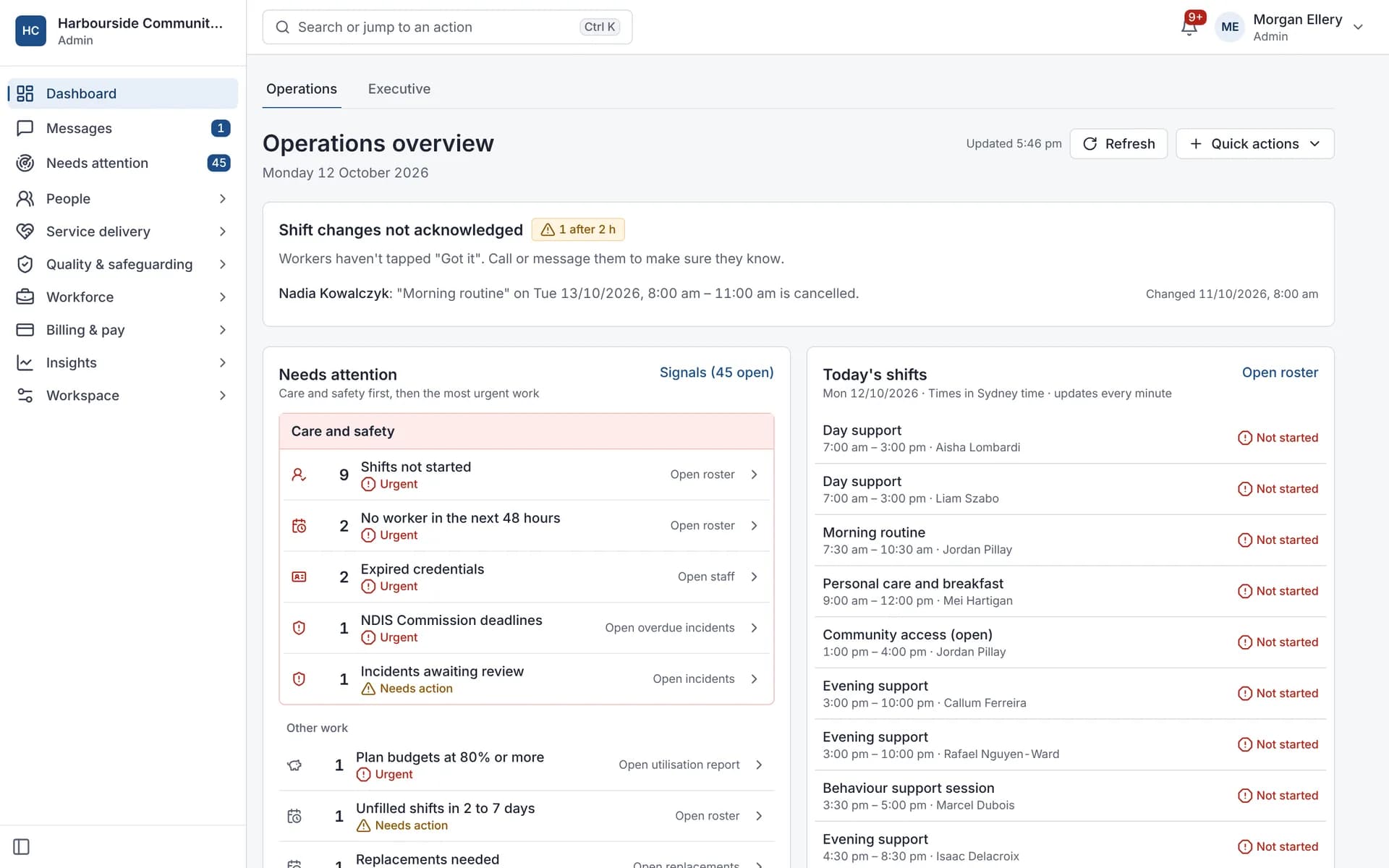
Owners and quality leads
Know where every deadline stands
Reportable incidents have 24-hour and 5-business-day deadlines, credentials expire, and audit evidence ends up spread across tools.
- Incident deadlines counted in business days, skipping public holidays, with alerts before and after
- An incident can't be closed until it's reviewed, notifications are recorded and actions are done
- 71 NDIS form templates with review dates, approvals and signatures in the Document Centre
- A missing, expired or unverified worker screening check always blocks rostering
- Activity logs that can't be edited, hash-chained and checked every day
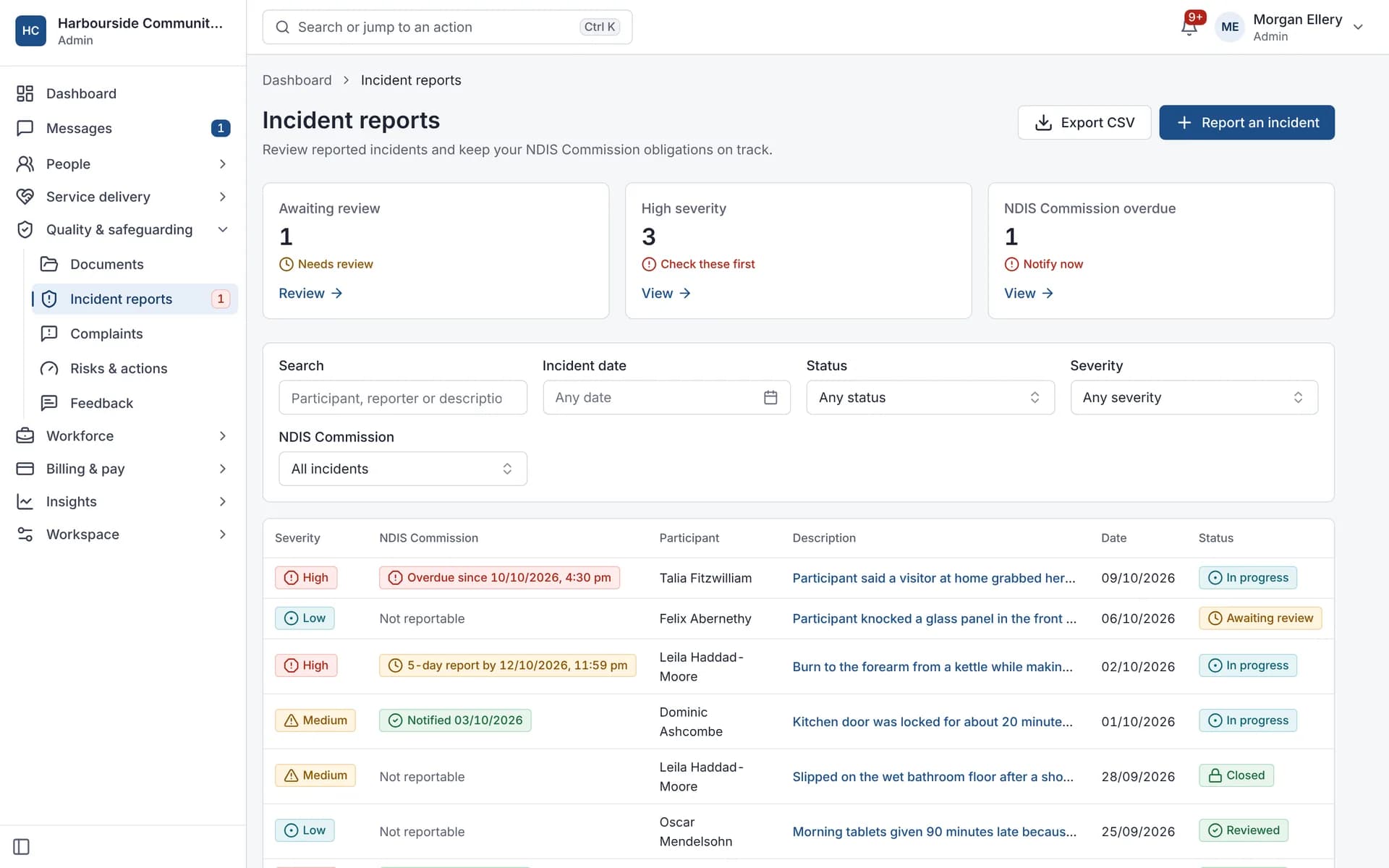
What owners and quality leads use
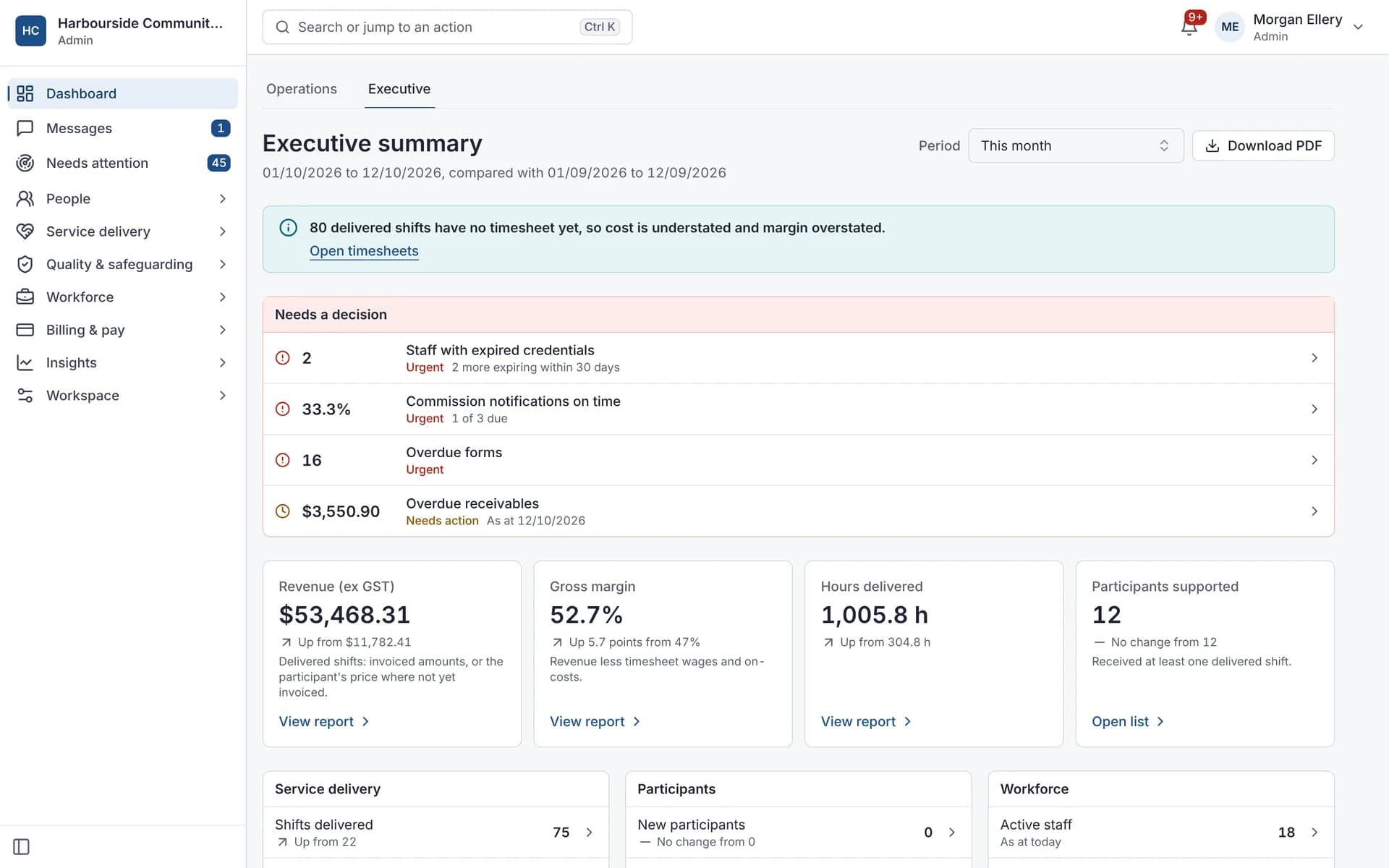
Executive summary: this period against the last, and the decisions waiting on you. 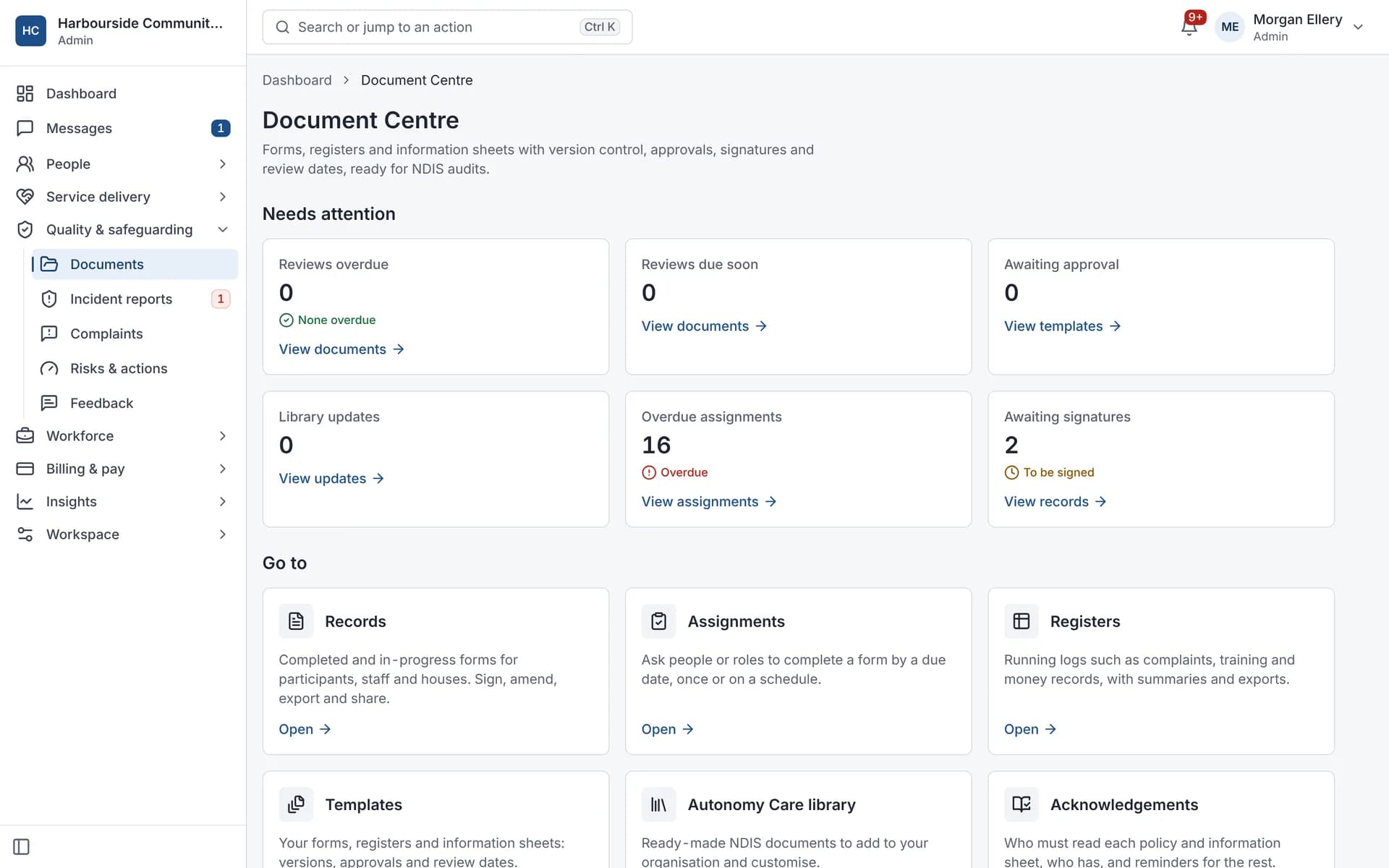
Document Centre: forms and registers with review dates. 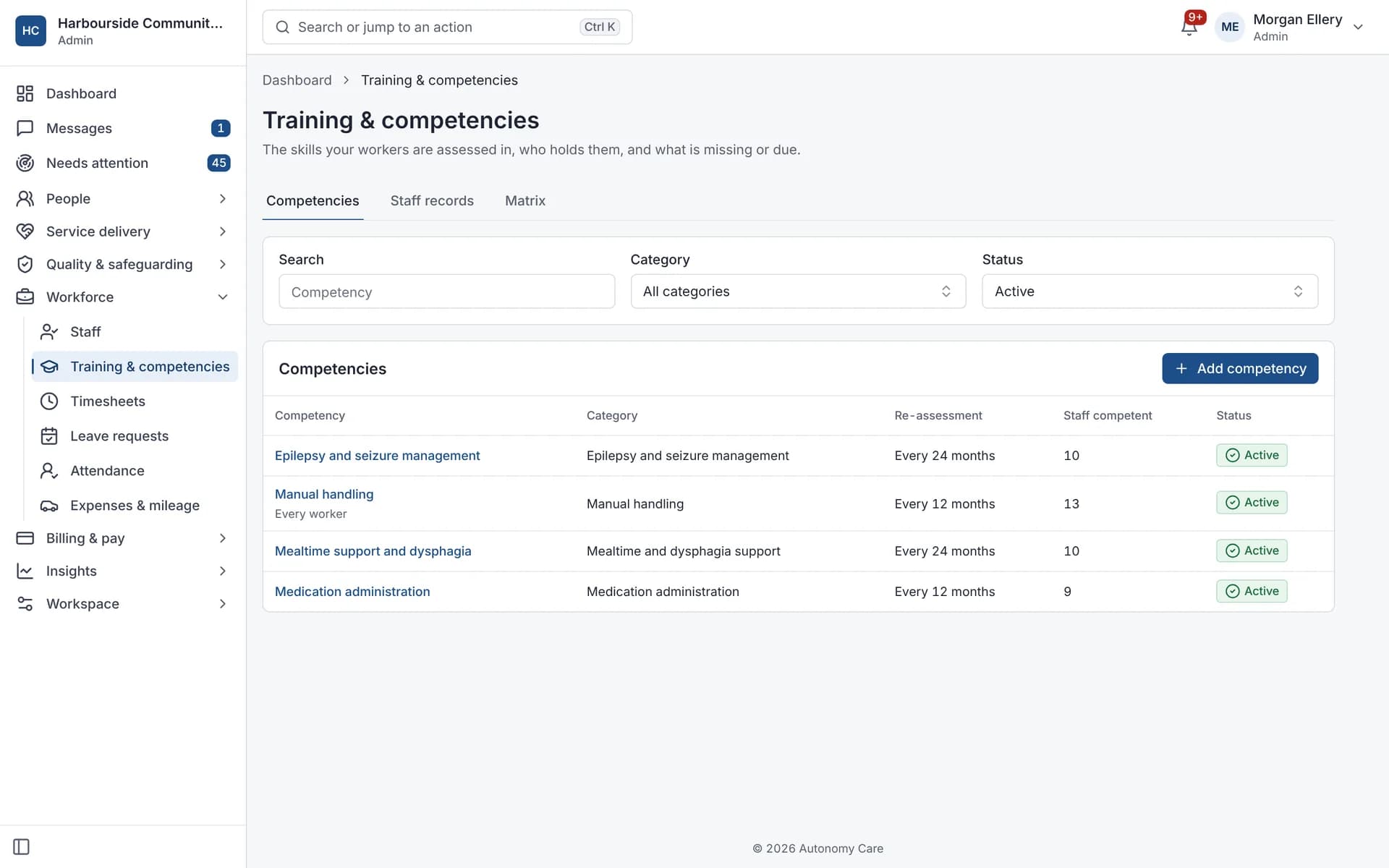
Training and competencies, with re-assessment dates.
Coordinators
Fill the shift with someone who's allowed to work it
Last-minute gaps, the right credentials and preferences, rest rules, and chasing people to check they saw a change.
- Credentials, competencies, gender and language preferences, rest and hours are checked when you assign a worker
- Choose strict, balanced or flexible rules; do-not-send lists always block
- Open shifts show eligibility, hours this week and past shifts with the participant before you approve
- Workers can swap or offer shifts with your approval, up to 24 hours before
- Changes within 48 hours need a "Got it" from the worker, by push and SMS, and you see who hasn't
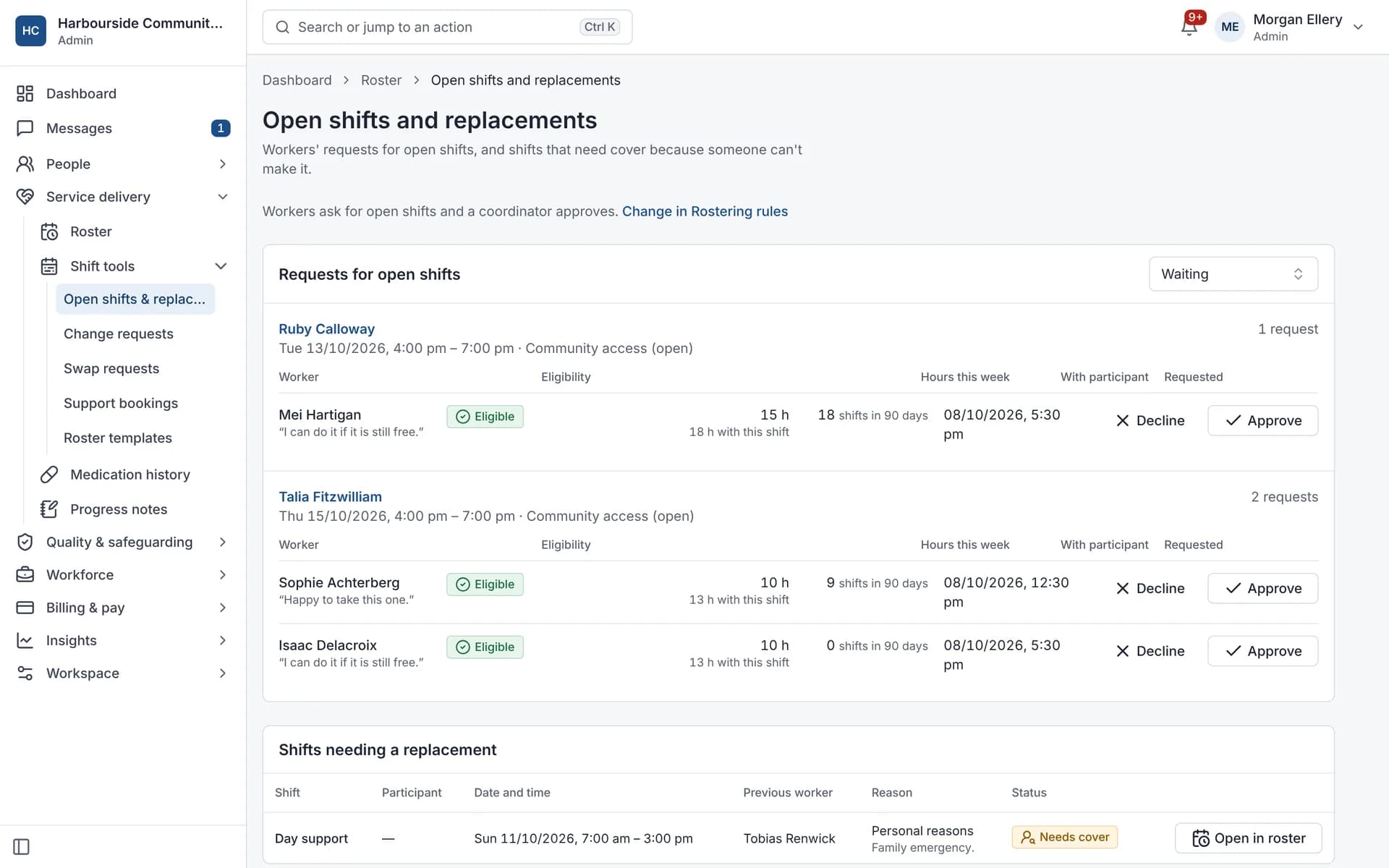
What coordinators use
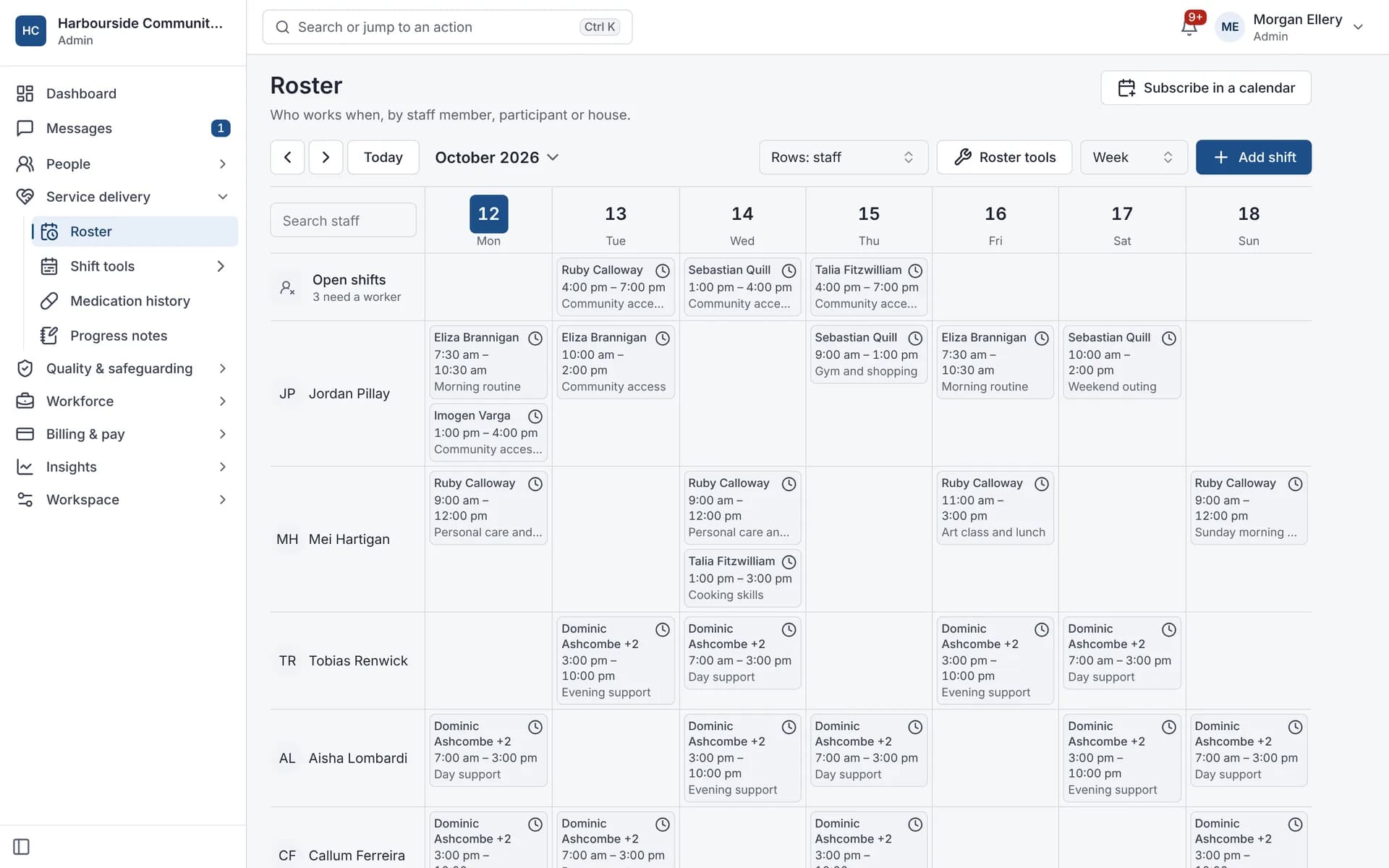
Roster by week, with open shifts and a calendar subscription. 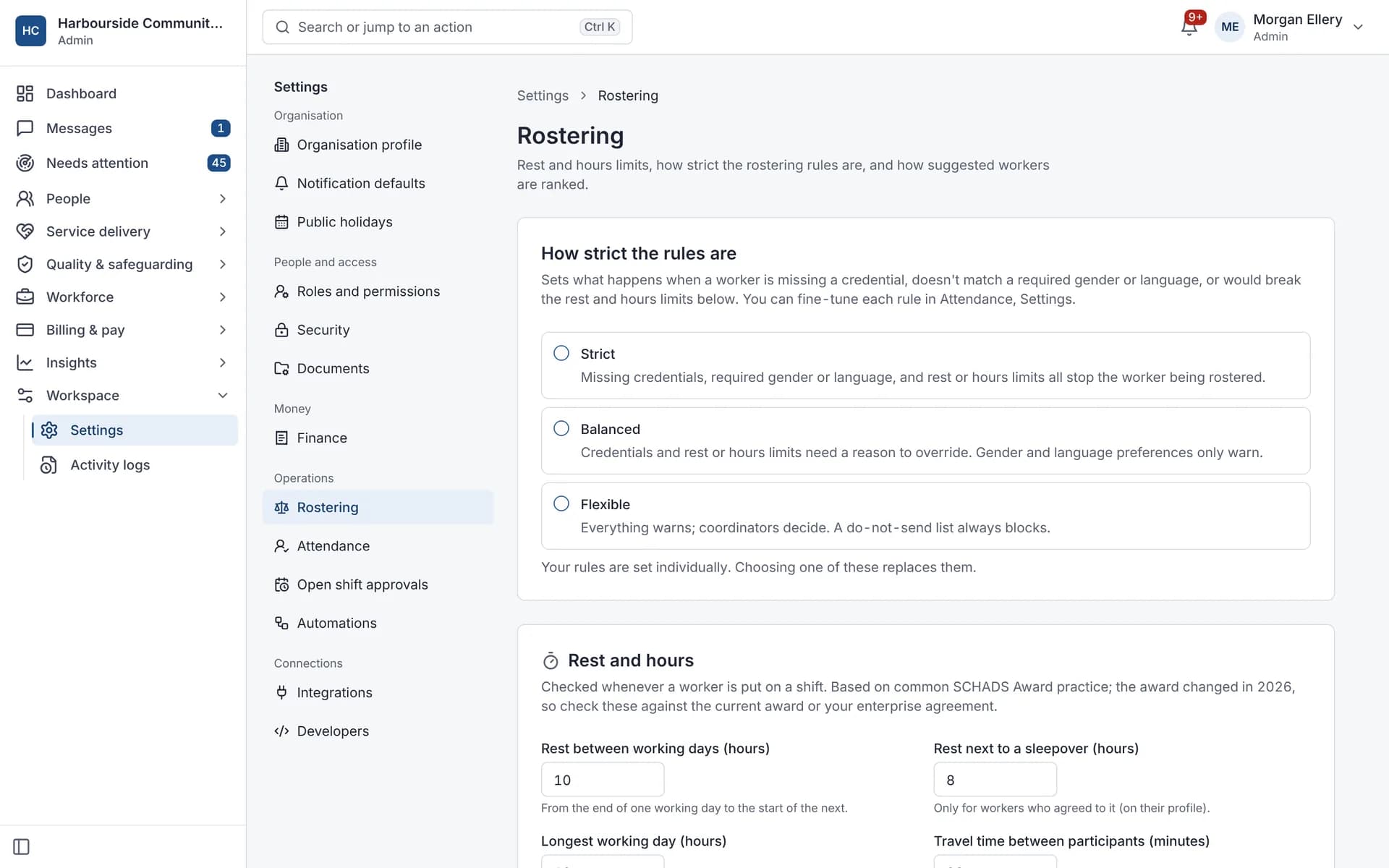
Rostering rules: strict, balanced or flexible. 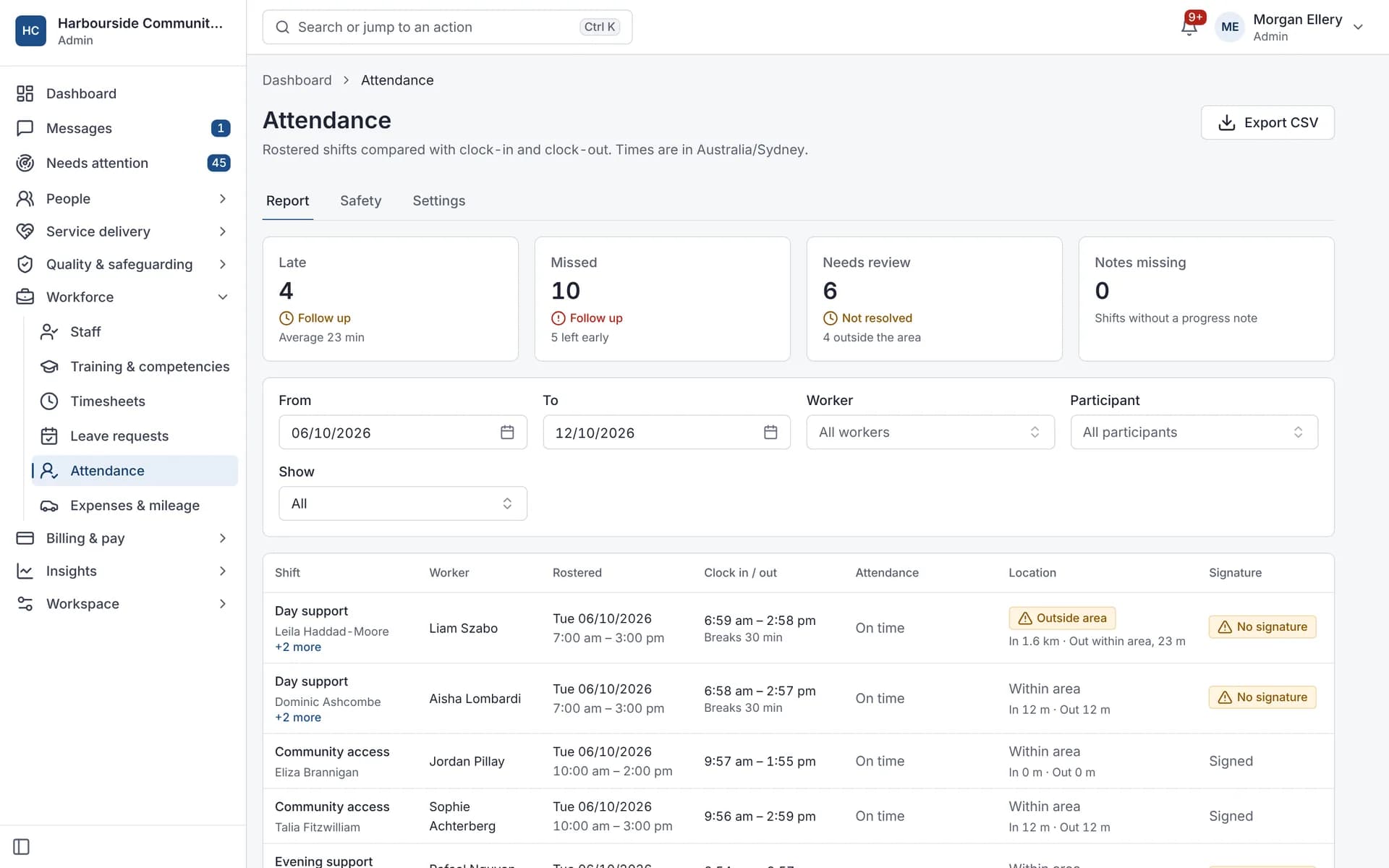
Attendance: late, missed, outside the area, and signatures. 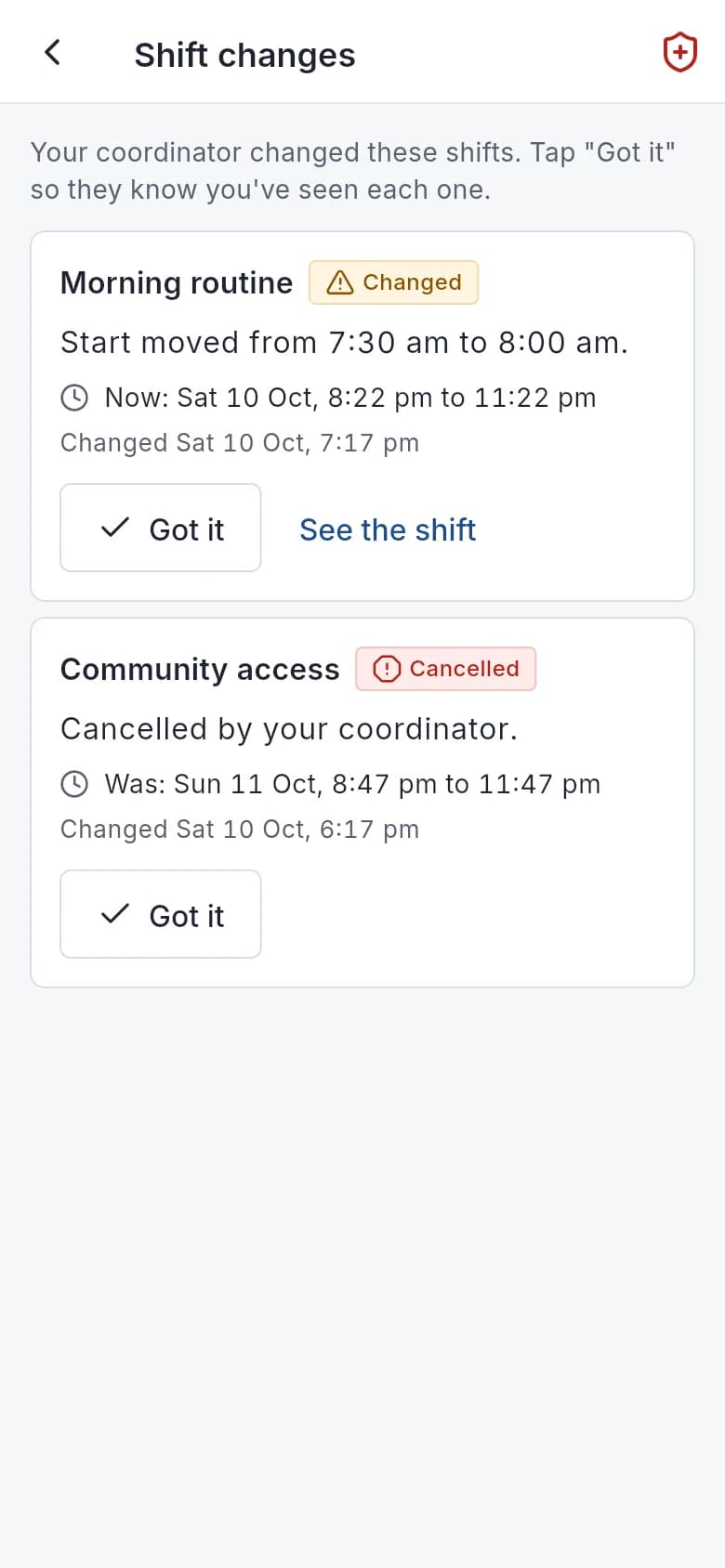
In the app: each change, before and after, with Got it.
Finance and claims
Catch why a claim would bounce before you upload it
PACE claiming is a bulk upload, "my provider" rejections and price-limit bounces hold up cash, and pay errors put people out of pocket.
- Plan dates, duplicate references and price limits block the claim file; funds, "my provider" and possible duplicates warn
- A bulk payment request file to upload in the myplace provider portal
- Remittance import with rejection reasons, then correct and resubmit with a new reference
- Invoices routed to the NDIA, a plan manager or a self-managed participant
- SCHADS Award pay for the disability and home care streams, from approved timesheets
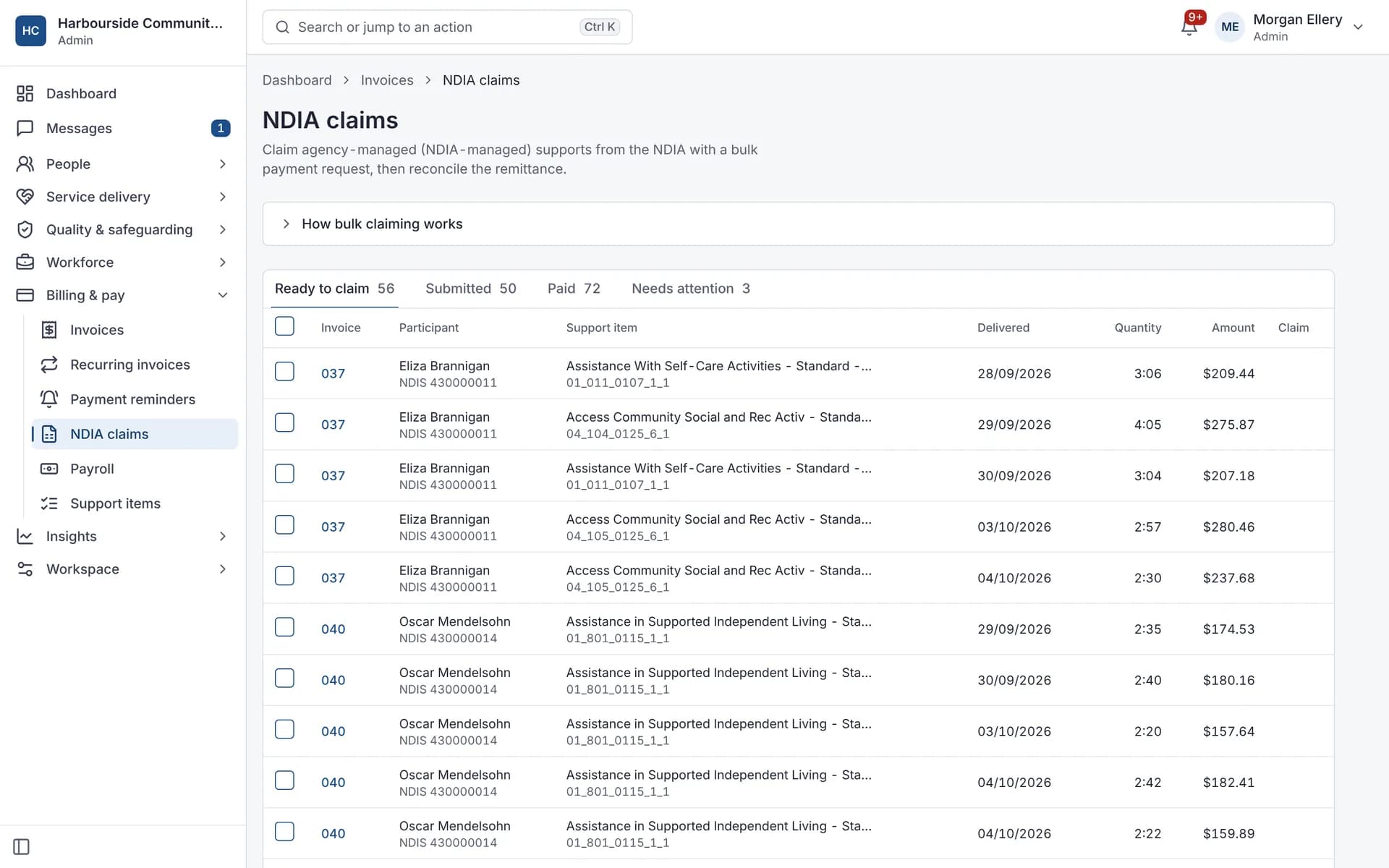
What finance staff use
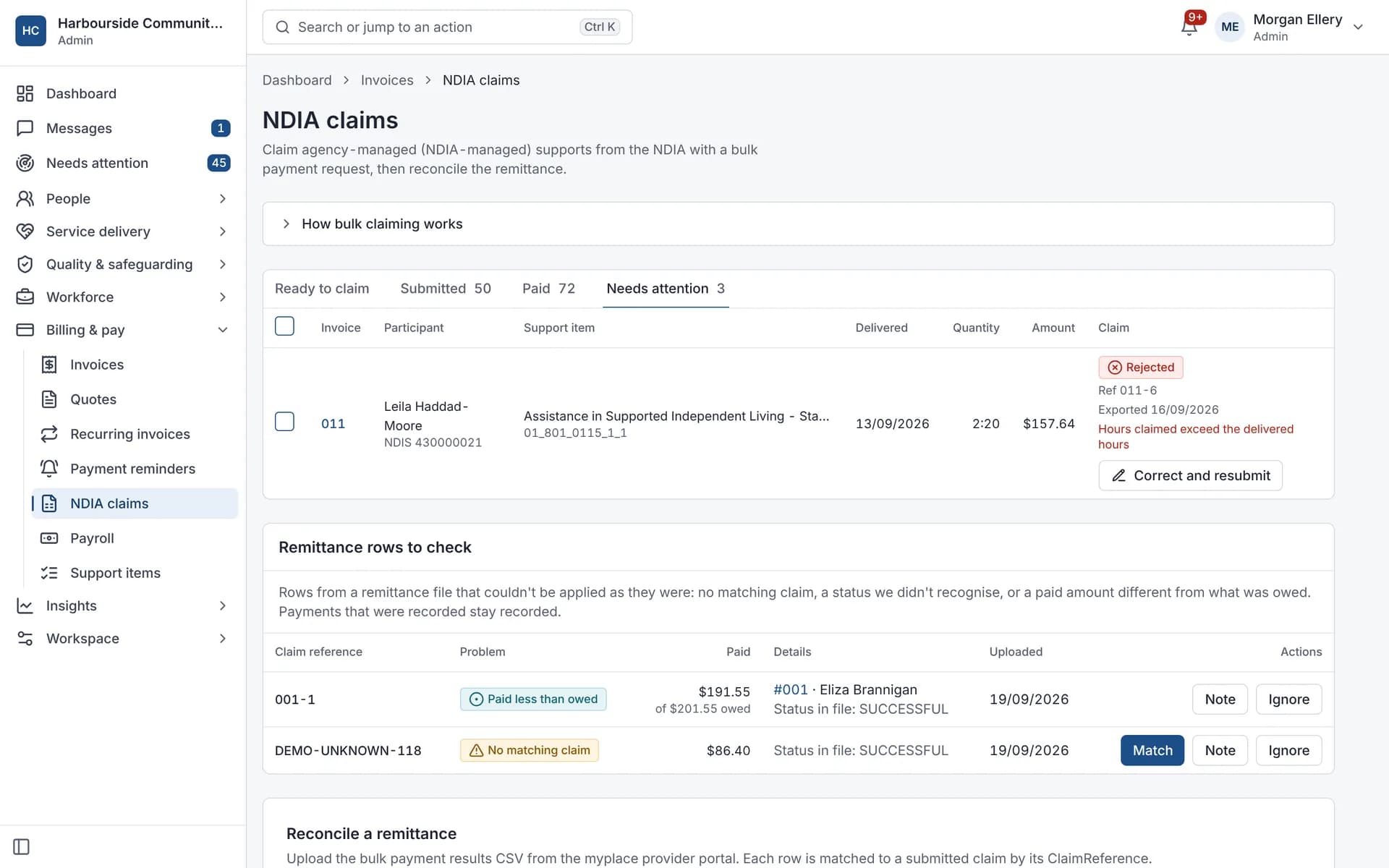
Rejections with the NDIA's reason, and correct and resubmit. 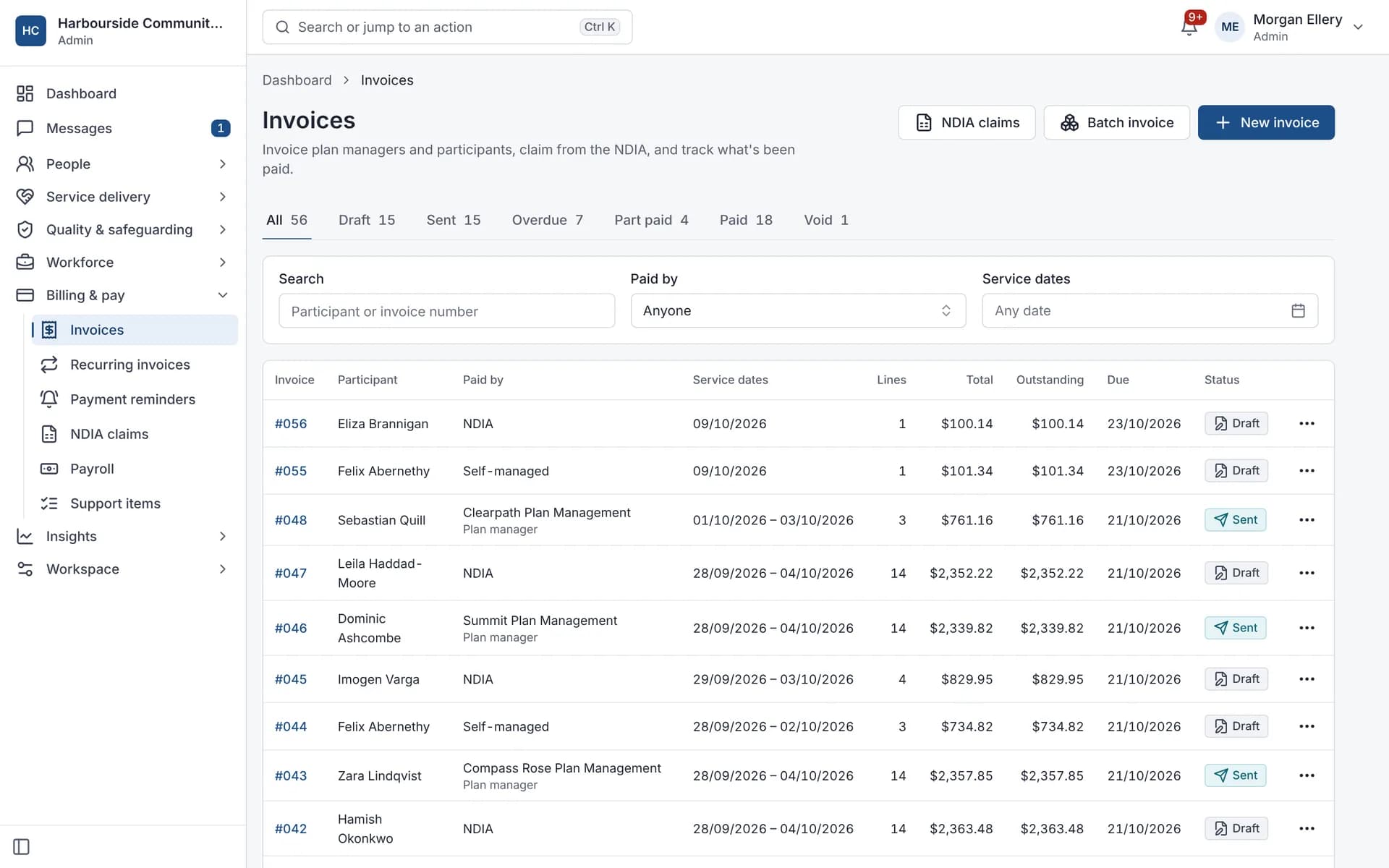
Invoices by payer, with their status. 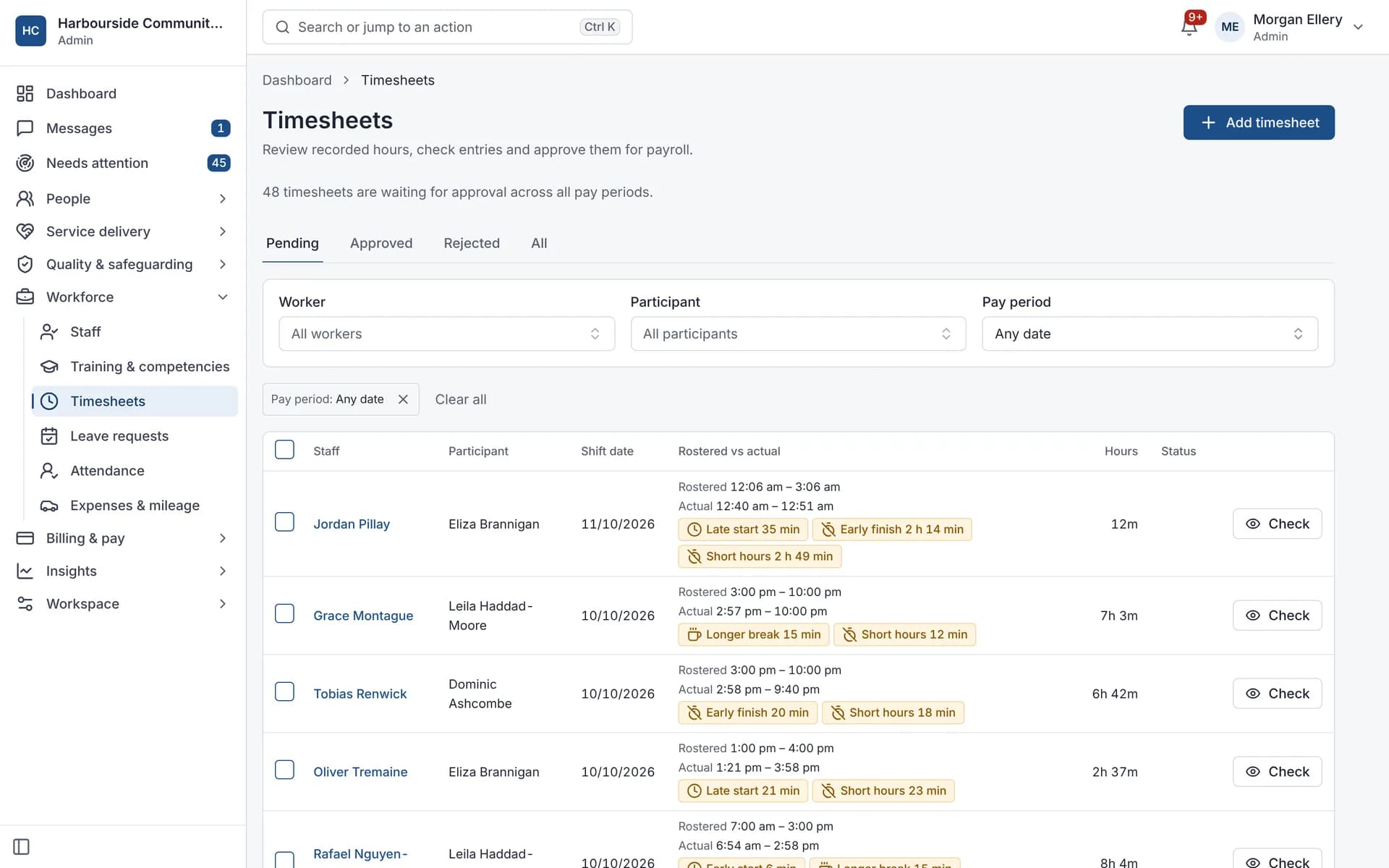
Timesheet differences flagged before approval. 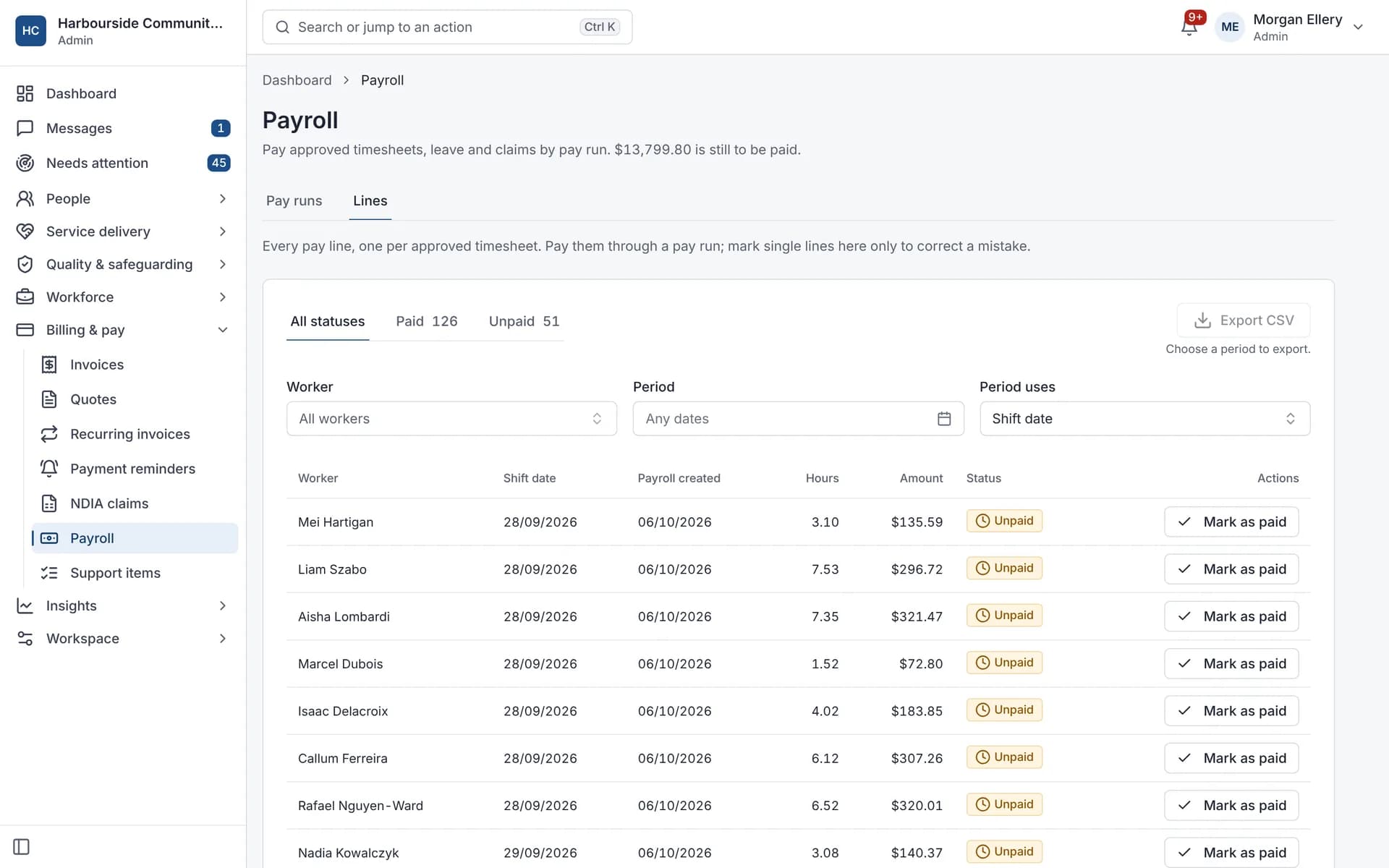
Pay lines from approved timesheets.
Estimate the admin time with your own numbers
Uses only your numbers. Nothing you enter here is sent or stored.
An example value; use your own.
Your assumption. Default 37%, an estimate you can change.
Pay plus on-costs. An example value.
Admin time you could save
532.8 hours a year
See the full calculationThe full calculator shows every assumption and the working.
Which fits your organisation?
Small providers
One place for a small team
For small providersSIL providers
Houses, shared rosters and 24/7 care
For SIL providersEnterprise and multi-site
Roles, single sign-on, logs, the API and finance connections
For larger providers
What Autonomy Care does and doesn't do
It does
- Checks rosters, claims and pay against rules you can read
- Builds the bulk payment request file and imports the remittance
- Keeps incident, complaint and document records with their deadlines
It doesn't
- Doesn't submit claims to the NDIA for you: you upload the file in the myplace provider portal
- Doesn't give payroll or legal advice
- Doesn't guarantee audit or claim outcomes
See it with your own services
A demo walks through one day: the roster, a shift, a note, an incident and the claim file.