
Last updated 12 Oct 2026
Module
SIL house management
SIL houses, residents, rosters and handovers
SIL house management keeps each supported independent living house with its residents, house lead and settings. Autonomy Care builds the house roster from a template, reports times when residents are home with nobody rostered, splits shared support time across residents for billing, and records handovers so the next worker sees what happened.
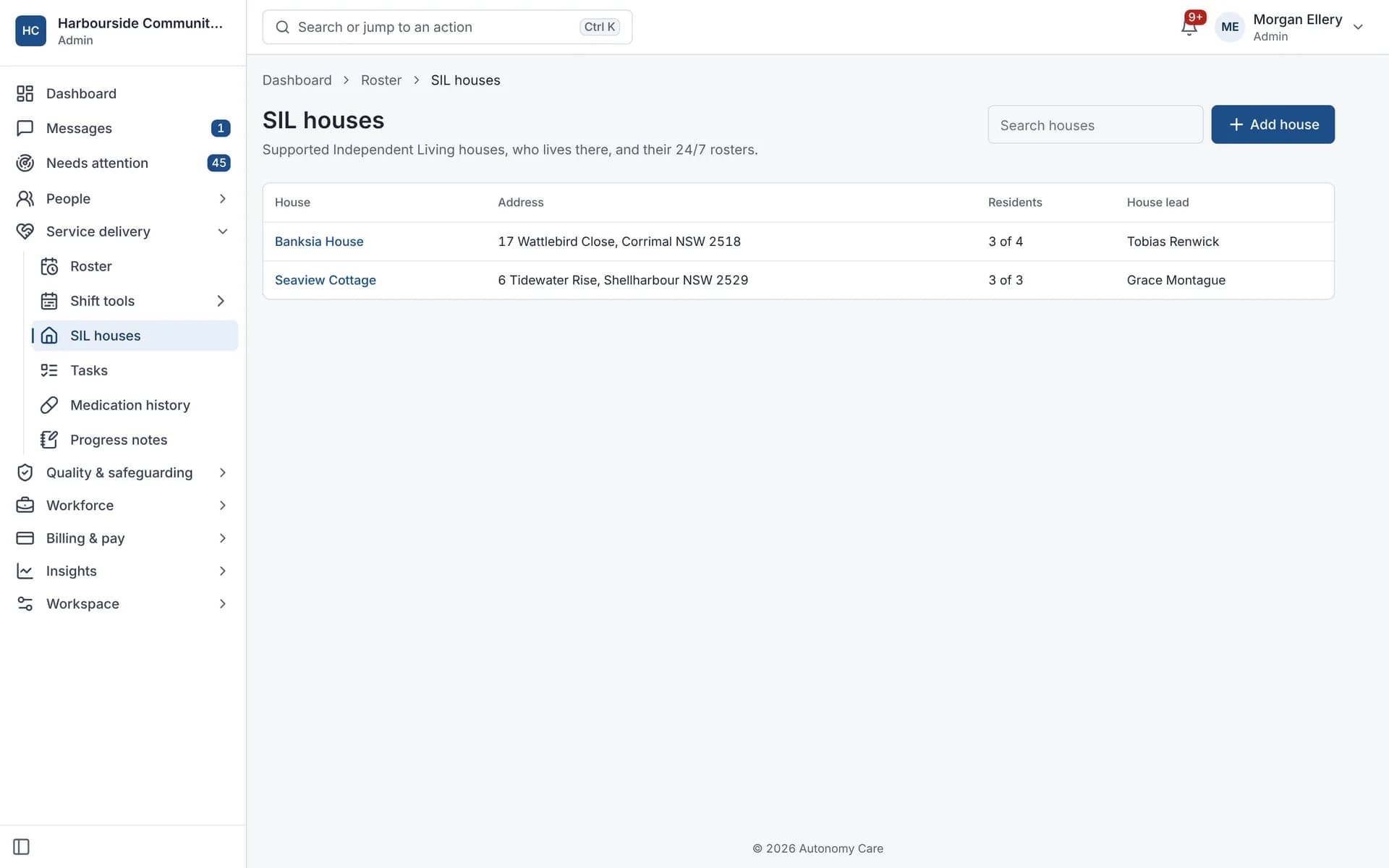
Part of Rostering and service delivery. Used by SIL providers.
What makes SIL different from in-home support?
SIL is support delivered across a shared home, often around the clock, so staffing is planned for the house rather than one participant at a time. One worker's time is often shared by several residents, and that affects how it is claimed.
How do house rosters and staffing gaps work?
You apply a roster template that belongs to the house. The staffing gaps report then shows times residents are home with nobody rostered (it assumes 24/7 support is expected), house shifts nobody is assigned to, and shifts with fewer workers than the ratio needs.
How is shared support claimed across residents?
When a shift's billing split is set to shared, each worker's time is divided evenly across the residents present. For example, a 6-hour 1:3 shift bills 2 hours to each resident, and the parts always add back up to the total.
How are shift handovers recorded?
A handover has free-text notes and quick flags: medication given, incident occurred, needs follow-up and supplies low. It is linked to the shift, the participants and the house. The next worker rostered sees unacknowledged handovers from the last 14 days and acknowledges them.
House rosters
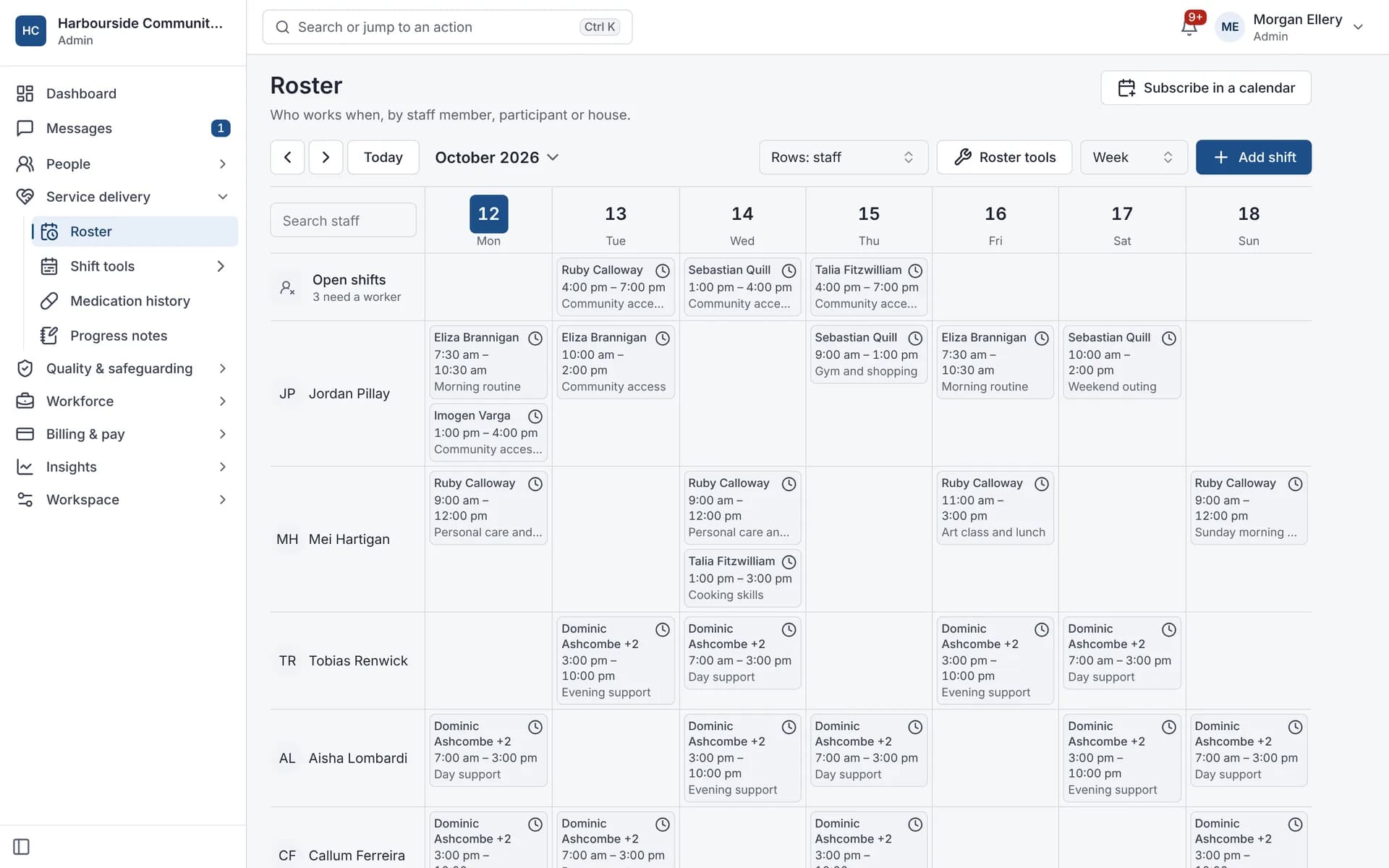
Rosters by staff, participant or house.
What it does and doesn't do
It does
- Keeps houses, residents, capacity and a house lead
- Generates house rosters from house templates
- Reports staffing gaps and short-staffed shifts
- Splits shared support time evenly across residents for billing
- Records handovers and tracks who acknowledged them
It doesn't
- Doesn't optimise or auto-generate rosters beyond applying your template
- Doesn't do weighted or custom shared-support splits; splits are even
- Doesn't register you for SIL or prepare NDIA SIL quotes
Frequently asked questions
Can one shift cover several residents?
Yes. A shift can include several residents, and with a shared billing split the worker's time is divided evenly across the residents present for invoicing and claims.
How are sleepovers paid?
Sleepovers are paid on the timesheet by the SCHADS pay calculator: an allowance per night, with any disturbance paid at overtime rates. See payroll and the SCHADS Award.
Can we track medication in the house?
Yes. The medication module gives each resident a MAR chart, with PRN rules and late or missed dose alerts.
Does it help with SIL registration?
It helps you keep the records an audit looks at, such as incidents, policies, training and handovers. It doesn't register you; registration is through the NDIS Commission.
What happens if a handover says an incident occurred?
Incident reviewers are notified when a handover is flagged "incident occurred", so they can check an incident report has been filed.
How it works
Set up the house
Add the address, capacity, house lead, residents and SIL settings such as support items and the billing split.
Generate the house roster
Apply the house's roster template for the period you choose.
Check staffing gaps
A report shows times with residents home and no worker rostered, unassigned house shifts and short-staffed shifts.
Hand over between shifts
At clock-off, workers write a handover with quick flags. The next worker on the same house or participants acknowledges it.
Who uses it
SIL managers and house leads
Rostering coordinators
Support workers in shared homes
Related modules
Rostering and timesheets
NDIS rostering software schedules workers against booked supports while checking availability, credentials and plan funding. In Autonomy Care, each shift carries its support item, so the roster, timesheet and invoice stay in step. Templates, open shifts, swaps and private calendar feeds cut down the last-minute phone calls.
Worker safety
Many support workers work alone in homes and the community. In the Autonomy Care app, an SOS button sits on every signed-in screen: tap it to call 000 or on-call, or hold it for 2 seconds to send a silent alert. Welfare checks, a check-in timer the worker sets, running-late notices and shift change acknowledgements cover the rest.
Payroll and the SCHADS Award
Autonomy Care calculates timesheet pay under the SCHADS Award (MA000100) for the disability and home care streams. It covers weekend and public holiday rates, overtime, shift loadings, minimum engagement, broken shifts and sleepovers, flags cases for a person to decide, and exports pay runs to payroll. Have a payroll specialist check your setup.
See it with your own rosters and plans
Get started, or book a demo and we will walk you through it with your questions.